
TL;DR
A Bitcoin hardware wallet protects the private keys used to authorize spending by signing transactions on a dedicated device; your Bitcoin remains recorded on the blockchain. It can reduce exposure to some online attacks, but it cannot prevent every scam, replace a recovery backup, or remove the risk of loss.
Your Bitcoin does not sit inside a little metal or plastic box. It stays recorded on the blockchain, while a hardware wallet protects the keys that let you authorize a spend. That distinction matters when your laptop is full of browser tabs, apps, and the occasional suspicious download.

Get hardware and tech essentials delivered free with Prime
- Fast, free delivery on millions of items
- Prime Video, Amazon Music and more included
- Member-only deals all year
This guide explains what hardware wallets for Bitcoin are, what they can and cannot protect, and how to handle setup, backups, and transactions. You will also see why a small test transfer and a careful check of the device screen can matter more than a long list of product features.
A wallet can lower some risks, but Bitcoin remains volatile and you can lose some or all of your funds through theft, mistakes, or a lost recovery backup. This article is general information, not financial advice or a recommendation to buy or sell Bitcoin or any particular device.
Bitcoin stays on the blockchain; a hardware wallet protects keys that authorize spending.
Check the recipient address and amount on the device screen before signing.
A recovery phrase is highly sensitive, and a device PIN does not replace it.
Test the documented backup and recovery process before depending on it for substantial funds.
Device features, firmware, and security claims can change, so consult current documentation and independent research.
What a Bitcoin Hardware Wallet Actually Protects
A Bitcoin hardware wallet is a dedicated device that protects private keys and signs transactions away from your everyday internet-connected computer or phone. Your wallet app prepares a transaction, then the device shows key details and asks you to approve it. That separation can reduce exposure to some malware, though it does not remove every risk.
The Bitcoin stays on the blockchain; the device safeguards credentials used to spend it. Think of it like a key to a locked storeroom: the key does not contain the goods, but anyone who controls the key may be able to open the door. If you send 0.01 BTC to someone, the transaction updates the ledger; the wallet helps authorize that change.
Most hardware wallets are non-custodial, which means you control the keys and must protect the recovery backup. That gives you more direct control than leaving funds with an exchange, but it also moves responsibility to you. An exchange account may offer a password reset; a self-managed wallet usually cannot simply ask customer support to restore a lost phrase.
A device screen can help you inspect a recipient address and amount before signing. If your computer has been compromised, the information on its display may not tell the whole story. For example, malware could replace a copied address with an attacker’s address, so comparing the destination shown on the device matters.
Products Worth Considering

Apple MacBook Pro 2026 14.2 Laptop with M5 Pro chip, 15‑core CPU, 16‑core GPU, 24 GB Unified Memory, 1 TB SSD, Wi‑Fi 7 – Silver

Logitech MX Master 4 Ergonomic Wireless Mouse with Haptic Feedback, Graphite

Logitech MX Mechanical Wireless Illuminated Keyboard, Clicky Switches
As an affiliate, we earn on qualifying purchases.
Why Keeping Keys Off Your Laptop Can Help
Hardware wallets for Bitcoin can reduce the chance that malware on a general-purpose computer directly exposes the private keys used to authorize a spend. The device keeps those keys protected and signs transactions internally, so a laptop prepares a request without needing to handle the key itself. The benefit is a smaller opening for some online attacks.
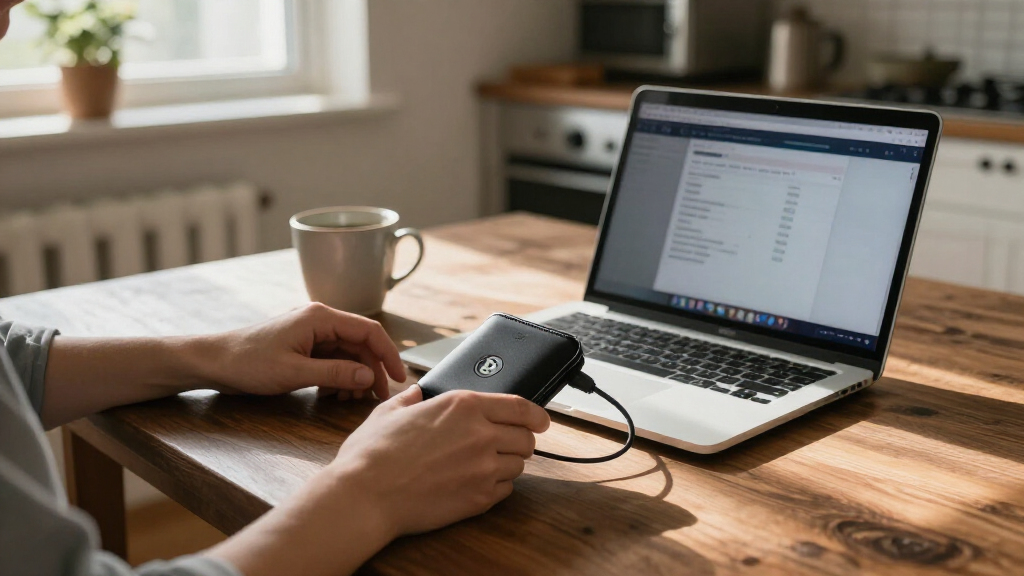
Imagine you check your balance on a laptop at a kitchen table, then approve a payment on the wallet device. Your browser might be infected, but the device still gives you a separate screen to inspect the amount and destination. That screen is a useful checkpoint, not a magic shield: you still have to read it carefully and reject anything that does not match.
Trade-offs depend on the device and how you use it. A companion app may make it easier to manage accounts, while adding software you need to keep updated and obtain through official channels. Air-gapped devices exchange transaction data through methods such as QR codes, but they still rely on trustworthy software and accurate review of what you are signing.
No wallet makes Bitcoin risk-free. Phishing, supply-chain tampering, theft, damaged backups, user mistakes, and malicious software can still cause loss. If you leave funds on an exchange, you also depend on that service’s security and policies; if you manage your own keys, you take responsibility for your device and backup. Bitcoin prices can move sharply, and you can lose money even when the wallet works exactly as intended.
Set Up Your Wallet Without Exposing the Backup
To set up a hardware wallet safely, obtain it through the manufacturer or an authorized seller, initialize it yourself using the documented setup flow, and protect the recovery backup it creates. A new wallet should not arrive with a recovery phrase already supplied for you to use. The setup process is where you establish control of the keys and create a backup you can depend on.
- Check the device and follow the maker’s authentication instructions. If the packaging or device looks altered, pause and contact official support through a verified channel.
- Initialize it yourself using the device and official software. Follow the manufacturer’s instructions for generating the recovery phrase.
- Write down the phrase offline and store it somewhere private, protected from fire, water, theft, and accidental disposal.
- Verify the backup and recovery instructions before relying on the wallet. Where supported, use the documented recovery check or a small test amount.
- Send a small test transaction and confirm the destination on the device screen before approving a larger transfer.
A recovery phrase is often 12 or 24 words, but standards and backup methods vary. Treat it like a master key: anyone who gets it may be able to control the funds, and a device PIN does not replace it. Never type the phrase into a website, chat, or unsolicited support form—even if a message claims your wallet needs an urgent repair.
For example, you might first transfer a small amount, confirm it arrives, then practice the documented recovery check before relying on the setup. That takes more effort up front, but can reveal a badly copied word or misunderstood instruction before a much larger balance depends on it.
Check the Address and Amount Before You Sign
Before you approve a transaction, check the recipient address and amount on the hardware wallet’s own screen. A computer display alone may be unreliable if the computer is compromised, and malware can change a copied address. The device screen gives you a separate place to compare the details against the payment instructions you intended to follow.
Say a friend sends you an address in a message and you paste it into a wallet app. The app shows the right amount, but malware quietly swaps in a different destination. If you compare the address shown on your device with the address you were given, you have a chance to catch the mismatch before signing. A long address can be tedious to check, so slow down and use the verification options your device provides.
Some products offer Bitcoin-only firmware, while others support Bitcoin alongside other cryptocurrencies. A Bitcoin-only setup may simplify the software you use if you only need Bitcoin, but it does not automatically mean the device is more secure. Open-source code can support public inspection, yet it cannot prove that a shipped device matches the published design or that you have configured it safely.
Features such as QR-code signing, secure elements, and new backup methods vary between products and can bring trade-offs. An air-gapped wallet still depends on the software that creates and displays the transaction. Before relying on a feature, check current manufacturer instructions and independent security research: devices, firmware, vulnerabilities, and company policies can change.
Plan for a Lost Device, a Forgotten Passphrase, or an Emergency
If your hardware wallet breaks or disappears, a compatible wallet may restore access from your recovery backup, provided you have kept the phrase safe and followed the right recovery standard. A wallet is a bitcoin hardware tool for managing keys, but recovery depends on the backup method and the software or device used to restore it. Check the maker’s documentation rather than assuming every wallet handles backups the same way.
An optional passphrase can create a separate wallet in some setups, but forgetting it may make the funds in that wallet unrecoverable. It adds another secret to protect; it does not replace the recovery phrase. For instance, a person who stores the phrase carefully but forgets the exact passphrase may be unable to access the wallet they intended to protect.
People with more complex needs may use multisignature, where spending requires approvals from multiple keys. This can reduce dependence on one device, but setup and recovery become more complicated. A household that uses several keys needs clear documentation about where each one is kept and how authorized people can recover access during an emergency.
Think through inheritance before a crisis. A trusted person may need a documented way to understand your setup, but handing over the full recovery phrase can give them immediate control of the funds. A secure plan should explain the recovery process without casually exposing secrets, and you should review it when your circumstances or wallet setup change.
Frequently Asked Questions
Does a hardware wallet actually contain my Bitcoin?
No. Your Bitcoin remains recorded on the blockchain. The device protects keys that authorize transactions, much like a key lets you access something kept elsewhere.
What happens if I lose or break the device?
You may be able to restore access with your recovery backup using a compatible wallet. Check the backup standard and recovery instructions for your device; a lost or damaged device cannot help if the phrase is also missing.
Where should I keep my recovery phrase?
Keep it private and offline, protected from theft, fire, water, and accidental disposal. Never enter it into a website, chat, or unsolicited support form, and do not assume a device PIN can replace it.
Can a hardware wallet be hacked or infected with malware?
A hardware wallet can reduce exposure to some online attacks by signing transactions on the device, but it does not eliminate risk. Malware may alter a recipient address, while phishing, theft, tampering, and backup loss remain possible.
Does an air-gapped wallet guarantee better security?
No. Air-gapped devices avoid direct network connections and may pass transaction data with QR codes, but they still depend on trustworthy software and careful transaction review. Check the amount and recipient on the device screen before approving.
Is a passphrase worth using?
It depends on your ability to manage another secret and understand the wallet’s recovery method. A forgotten passphrase can make the associated funds unrecoverable, so it is not a simple substitute for a secure recovery backup.
Conclusion
A hardware wallet can put a useful checkpoint between your Bitcoin keys and an internet-connected computer, but the device cannot protect a phrase you expose or a transaction you approve without checking. Learn the recovery process, keep the backup private and offline, and read the destination and amount on the device before signing.
Think of it as a sturdy lock paired with a carefully guarded key: both matter, and neither makes the contents immune to loss.