📊 Full opportunity report: Turn Paper Piles Into Searchable Files With An Office Scanner on IdeaNavigator AI — validation score, market gap, and execution plan.
TL;DR
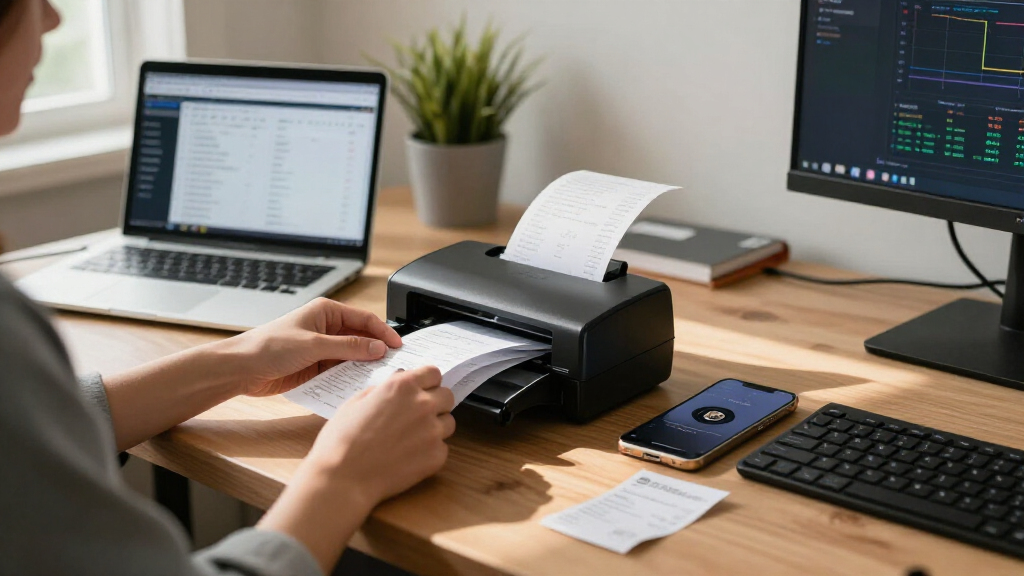
An AI scanning app concept would let small offices photograph paper records, then use OCR to classify pages, suggest filenames and save searchable PDFs in a shared folder. The proposal recommends testing the workflow with five small offices and 200 documents apiece; no pilot results, product launch or accuracy data are reported.
IdeaNavigator AI has outlined a concept for a document-scanning app aimed at small nonprofits, clinics and law offices, with a proposed pilot to test whether it can turn paper records into searchable, automatically filed PDFs. The idea is at the proposal stage: no working product, trial results or customer commitments are reported.
According to the concept published by IdeaNavigator AI, the proposed workflow begins with an office worker photographing a stack of documents on a phone. The app would use optical character recognition (OCR) to read each page, suggest a document category and filename, and save the resulting searchable PDF in a shared folder. The proposal gives an example filename combining a document type, date and vendor for an invoice.
IdeaNavigator AI identifies office managers in small organizations that handle paper intake forms, invoices and records as the intended users. The proposal argues that ordinary scanning apps can leave users with unsorted image files, while cabinets of paper records can be difficult to search. Its suggested product would add classification and field extraction to the scanning process, rather than simply capturing page images.
For validation, IdeaNavigator AI proposes testing the service in five small offices over one week. Each office would scan a real backlog of 200 documents, with the trial measuring how often the app classifies documents correctly and whether staff would pay per seat. The proposal suggests a monthly subscription with a page-volume limit and charges for additional pages, but gives no prices or pilot findings.
A Filing Test for Small Offices
If the proposed workflow works reliably, it could reduce the manual steps between scanning a document and finding it later. For offices with limited administrative capacity, automatic naming and classification could make existing records easier to retrieve without requiring staff to rename and sort every file by hand. The practical value would depend on how well the software handles the varied forms and records each office actually receives.
The proposal also puts a measurable test ahead of broader claims about demand. A one-week trial involving 1,000 documents in total across five offices could provide an initial indication of classification performance and staff interest. It would not, by itself, establish how the system performs across different organizations, document types or longer periods of use. Willingness to pay would also need to be tested against the time and costs the product saves.
For organizations handling sensitive records, usefulness is only part of the question. A shared digital folder changes how information is stored and accessed. Before adoption, offices would need to understand how files are protected, who can access them, and whether the system meets their recordkeeping and privacy obligations. Those product details are not provided in the concept.
portable document scanner with OCR
As an affiliate, we earn on qualifying purchases.
As an affiliate, we earn on qualifying purchases.
From Paper Backlogs to Search
IdeaNavigator AI frames the concept around a specific administrative problem: small offices may have accumulated filing cabinets of records that are hard to search, while basic scanning can create digital copies without useful organization. Its proposed response combines several functions in one workflow: capture, OCR, document-type suggestions, filename generation and saving to a shared location.
IdeaNavigator AI says on-device and API-based OCR, along with layout-aware models, are now inexpensive and accurate enough to support this kind of automation without a dedicated IT team. That is the proposal’s rationale, not a reported benchmark for a particular app. No OCR provider, technical design, security model or measured accuracy rate is identified.
The proposal suggests a monthly per-seat subscription, capped by page volume, with extra charges above that limit. It focuses its proposed test on offices serving nonprofits, clinics and law firms, but does not report that any organization has agreed to participate or that a product is available to buy.
As an affiliate, we earn on qualifying purchases.
Accuracy, Privacy and Demand
No pilot has been reported, so the proposed app’s classification accuracy, OCR performance and ability to produce useful filenames remain unverified. The plan does not specify what counts as a correct classification, how errors would be reviewed, or how documents with multiple categories or poor image quality would be handled.
It is also unclear whether the proposed system would process pages on a phone or send them to an external service, and what protections would apply to records stored in a shared folder. That matters for clinics and law offices in particular, which may handle confidential information. The proposal provides no information about encryption, access controls, data retention or regulatory compliance.
Commercial demand is similarly unconfirmed. The suggested pilot would ask about willingness to pay per seat, but no subscription price, page cap or overage rate is given. The number and types of offices that might use the product, and whether staff would trust automated filing enough to rely on it, have not been established.
office document classification software
As an affiliate, we earn on qualifying purchases.
As an affiliate, we earn on qualifying purchases.
The Proposed Five-Office Trial
IdeaNavigator AI’s proposal sets out a next step of recruiting five small offices for a one-week test using real document backlogs. Each would scan 200 documents. The stated measures are correct auto-classification rate and willingness to pay per seat; the proposal does not give target thresholds for either measure or a schedule for publishing results.
If such a trial takes place, useful reporting would include results by document type, the frequency of manual corrections, and the time required to review or fix errors. Offices would also need clear information about how records are processed and stored before uploading real files. Until those details and trial findings are available, the scanner remains a concept with a proposed validation plan, not a proven office tool.
Source: IdeaNavigator AI
As an affiliate, we earn on qualifying purchases.
Key Questions
What would the proposed scanner do?
According to IdeaNavigator AI’s concept, it would let office staff photograph paper documents, use OCR to read them, suggest a category and filename, and save them as searchable PDFs in a shared folder. The workflow is a concept; no available product is identified.
Who is the app intended for?
IdeaNavigator AI’s proposal targets office managers at small nonprofits, clinics and law offices that handle paper records such as intake forms, invoices and other files.
Has the scanner been tested?
No test results are reported. IdeaNavigator AI proposes a one-week pilot with five offices, each scanning 200 documents, but does not confirm that the pilot has begun.
How would the proposal measure success?
The proposal says it would measure the app’s correct auto-classification rate and ask participating offices whether they would pay per seat. It specifies no performance target or subscription price.
How would offices pay for the service?
IdeaNavigator AI suggests a monthly per-seat subscription with a page-volume cap and charges for pages above that limit. Exact pricing and the proposed cap have not been provided.
Source: IdeaNavigator AI