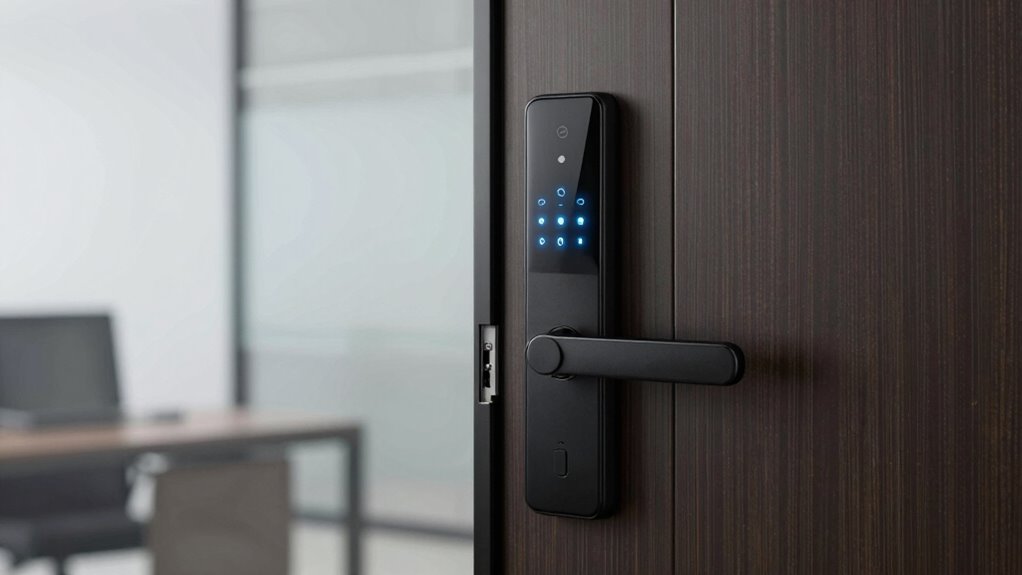

Choosing a smart lock for a private office involves balancing security, convenience, and ease of use. The Ulecoce DL08H 7-in-1 Fingerprint Smart Door Lock stands out as the best overall for its versatile access methods and robust build. For those prioritizing seamless integration, the Philips Wi-Fi Smart Deadbolt offers reliable connectivity, while the myQ Secure View 3-in-1 combines security with integrated camera features. The main tradeoffs include deciding between advanced features like biometric access versus straightforward keypad entry, and balancing price with durability. Keep reading to explore these options in detail and find the best fit for your private office needs.

Get hardware and tech essentials delivered free with Prime
- Fast, free delivery on millions of items
- Prime Video, Amazon Music and more included
- Member-only deals all year
Key Takeaways
- Top-tier models excel with multi-method access including fingerprint, keypad, and app control, offering versatility for different users.
- Build quality and battery life are critical for consistent security, with some models offering up to 16 months of operation on a single charge.
- Integration with existing smart home or office ecosystems varies, so compatibility is a key factor for seamless operation.
- Premium options often include additional features like cameras or auto-lock, but these come with higher costs and complexity.
- Choosing a lock depends heavily on your specific security needs—whether biometric, keypad, or remote access is most important.
| Ulecoce DL08H 7-in-1 Fingerprint Smart Door Lock with Handle |  | Best Overall for Versatile Outdoor Use | Unlocking Methods: Fingerprint, APP, remote, IC card, PIN, temporary passcodes, mechanical key | Water Resistance: IP54 | Supported Door Thickness: 1 3/8 to 2 inches (35-51 mm) | VIEW ON AMAZON | See Our Full Breakdown |
| Fingerprint Door Lock Biometric Keypad Smart Door Knob for Bedroom and Home Office |  | Best for Long Battery Life in Residential Settings | Access Methods: Fingerprint, passcode, app control, mechanical keys | Battery: 400mAh rechargeable | Installation Time: 15 minutes | VIEW ON AMAZON | See Our Full Breakdown |
| Fingerprint Door Lock – Smart Door Handle with Keypad, Biometric Door Knob for Bedroom, Home Office |  | Best for High-Speed Recognition and Easy DIY Installation | Unlocking Methods: Biometric fingerprint, password, IC card, app control, mechanical keys | Recognition Speed: 0.2 seconds | Fingerprint Capacity: Up to 100 | VIEW ON AMAZON | See Our Full Breakdown |
| Fingerprint Door Lock Biometric Door Knob with Keypad Keyless Entry for Home and Office |  | Best for High Capacity and DIY Friendly Installation | Access Methods: Fingerprint, Password, Mechanical Keys, IC Card | Fingerprint Capacity: 100 | Password Capacity: 50 | VIEW ON AMAZON | See Our Full Breakdown |
| TCL Palm Vein Keyless Entry Deadbolt with Matter Over Thread |  | Best for Touch-Free, Future-Ready Smart Home Integration | Recognition Technology: Palm vein | Connectivity: Matter over Thread, Wi-Fi | Battery Life: Up to 8 months | VIEW ON AMAZON | See Our Full Breakdown |
| Fingerprint Door Lock Biometric Door Knob with Keypad Keyless Entry for Home and Office – Black |  | Best Overall for Versatile Access | Access Methods: Fingerprint, Password, Mechanical Keys, IC Card | Fingerprint Capacity: 100 fingerprints | Password Capacity: 50 passwords | VIEW ON AMAZON | See Our Full Breakdown |
| myQ Secure View 3-in-1 Smart Lock Deadbolt, Video Doorbell, and 2K HDR Camera with Face, Fingerprint, PIN, App Control, Night Vision, and Two-Way Audio |  | Best for All-in-One Security & Video Monitoring | Design: 3-in-1 Smart Lock, Video Doorbell, 2K HDR Camera | Entry Methods: Face Recognition, Fingerprint, PIN, App Control, Key | Night Vision: Color Night Vision | VIEW ON AMAZON | See Our Full Breakdown |
| Smart Door Lock with Handle, Keyless Entry, Fingerprint, Keypad, App Control |  | Best for Outdoor Durability & Easy Access | Unlock Methods: Fingerprint, Touch Keypad, IC Card, Ekey Sharing, Auto Unlock, Mechanical Keys, Alexa Voice Control, App Control | Temperature Range: -35℉ to 122℉ | Waterproof Rating: IP64 | VIEW ON AMAZON | See Our Full Breakdown |
| Philips Wi-Fi Smart Deadbolt Lock, Keyless Entry Door Lock |  | Best for Flexible Remote Control & Customization | Connectivity: Wi-Fi 2.4GHz | Power: AA batteries | Compatibility: Doors 1-3/8″ to 2″ thick | VIEW ON AMAZON | See Our Full Breakdown |
| Yale Assure Lever Wi-Fi Smart Door Lock with Keypad, Black Suede |  | Best for Traditional Lever Design & Smart Integration | Brand: Yale | Model Number: YRL216-WF1-BSP | Included Components: Yale Assure Lever, Wi-Fi Module, DoorSense, Hardware, Manual, 1 Key | VIEW ON AMAZON | See Our Full Breakdown |
| Buoan 5-in-1 Smart Fingerprint Door Lock, Keyless Entry Digital Knob |  | Best Overall for Versatility and Ease of Use | Model Number: YL-52-Black | Material: Zinc alloy | Number of Users: Up to 200 | VIEW ON AMAZON | See Our Full Breakdown |
| Philips Smart Deadbolt Lock with 2 Lever Handles and Keypad |  | Best for Voice-Enabled Smart Security | Includes: 2 lever handles, smart deadbolt lock | Unlocking Methods: Fingerprint, PIN, keys, app | Fingerprint Capacity: Up to 50 | VIEW ON AMAZON | See Our Full Breakdown |
| GHome Smart Fingerprint Door Lock, 4-in-1 Keyless Entry with App Control and Auto Lock |  | Best for Privacy-Conscious Users and Local Data Storage | Unlocking Methods: Fingerprint, Password, App, Mechanical Key | Fingerprint Capacity: 20 | Battery: 400mAh rechargeable | VIEW ON AMAZON | See Our Full Breakdown |
| DESLOC Fingerprint WiFi Smart Lock K120 with Keypad and Up to 16 Months Battery Life |  | Best for Long-Lasting Outdoor Use with Remote Control | Battery Life: Up to 16 months | Battery: 15,000mAh rechargeable Li-ion | Connectivity: WiFi | VIEW ON AMAZON | See Our Full Breakdown |
More Details on Our Top Picks
Ulecoce DL08H 7-in-1 Fingerprint Smart Door Lock with Handle
The Ulecoce DL08H stands out for its broad range of unlocking options, including fingerprint, app control, and mechanical keys, making it highly adaptable for both residential and commercial settings. Compared to the Fingerprint Door Lock Biometric Keypad (B0H36SM9RW), this model offers more remote management features, but it lacks detailed battery life information and security alerts. Its weather-resistant design with IP54 rating ensures durability outdoors, yet the reliance on Wi-Fi for full functionality could be a downside if internet stability is an issue. This lock is best suited for users needing flexible, weatherproof access, especially in outdoor environments where multiple access methods are valuable. It’s less ideal for those seeking detailed battery status or built-in alarm features.
Pros:- Multiple unlocking options including fingerprint, app, and mechanical key
- Remote access and customizable passcodes for flexible management
- Weather-resistant design suitable for outdoor use
- Easy installation on most standard doors
Cons:- Battery life details are not specified, raising concerns about long-term maintenance
- Requires stable Wi-Fi for full remote capabilities, which could be problematic in unstable networks
- No built-in security alerts or alarm features
Best for: Property managers or business owners needing flexible, weather-resistant access control for outdoor or mixed-use doors
Not ideal for: Homeowners seeking a simple, battery-efficient lock without Wi-Fi dependency
- Unlocking Methods:Fingerprint, APP, remote, IC card, PIN, temporary passcodes, mechanical key
- Water Resistance:IP54
- Supported Door Thickness:1 3/8 to 2 inches (35-51 mm)
- Power Port:Type-C
- Compatibility:Most standard US doors, left and right-handed
Our verdict“This pick suits users who need a robust, multi-method outdoor lock with remote management, despite some connectivity and power info gaps.”
Fingerprint Door Lock Biometric Keypad Smart Door Knob for Bedroom and Home Office
This lock emphasizes longevity with a rechargeable 400mAh battery that can last a full year on standby, making it ideal for home or office environments where frequent charging is inconvenient. Unlike the Ulecoce DL08H, it doesn’t offer remote management, but its simple installation and fast fingerprint recognition (0.2 seconds) make it user-friendly for non-technical users. Its limited compatibility to standard US doors and lack of weather resistance mean it’s less suited for outdoor use, but it excels in indoor settings where long battery life and straightforward operation matter most. This lock is perfect for users prioritizing ease of use and minimal maintenance, but not for those needing remote or weatherproof features.
Pros:- Long battery life with a full year standby
- Fast fingerprint recognition in 0.2 seconds
- Easy 15-minute DIY installation
- Secure multiple access options
Cons:- Requires initial charging before first use
- Limited to standard US door sizes and indoor use only
- Battery replacement needed annually
Best for: Homeowners or small office users prioritizing battery longevity and quick access without internet reliance
Not ideal for: Businesses needing remote management or outdoor durability
- Access Methods:Fingerprint, passcode, app control, mechanical keys
- Battery:400mAh rechargeable
- Installation Time:15 minutes
- Door Compatibility:Standard US doors, 1-1/8″ to 2-1/8″ thickness
- Latch Size:2-3/8″ or 2-3/4″
Our verdict“Ideal for users seeking a simple, long-lasting biometric lock for indoor use without the fuss of Wi-Fi or outdoor features.”
Fingerprint Door Lock – Smart Door Handle with Keypad, Biometric Door Knob for Bedroom, Home Office
This lock offers five unlocking methods, including biometric fingerprint, password, IC card, app control, and mechanical keys, providing versatility for various access needs. Its recognition speed of 0.2 seconds rivals the more expensive models like the Fingerprint Door Lock Biometric Keypad, but it’s limited by the lack of included batteries, which could lead to frequent replacements. The no-drill installation simplifies setup, making it ideal for DIYers, though it’s designed for standard US doors with specific thicknesses. This lock is best suited for users who want quick, multiple access options and easy installation, but those seeking advanced remote management or weatherproofing might need to look elsewhere.
Pros:- Multiple unlocking options for convenience and security
- Fast recognition speed in less than a second
- Easy DIY installation without drilling
- Supports up to 100 fingerprints and 50 passwords
Cons:- Batteries not included, requiring additional purchase
- Cannot charge batteries via USB, requiring battery replacements
- Limited to specific door thicknesses
Best for: Home users or office staff needing fast, versatile access without professional installation
Not ideal for: Users requiring remote access or outdoor durability
- Unlocking Methods:Biometric fingerprint, password, IC card, app control, mechanical keys
- Recognition Speed:0.2 seconds
- Fingerprint Capacity:Up to 100
- Password Capacity:Up to 50
- Power Supply:4 AAA batteries (not included)
- Emergency Power:USB-C port for power bank
Our verdict“This lock is best for quick, multi-method access in indoor environments where easy installation and speed matter most.”
Fingerprint Door Lock Biometric Door Knob with Keypad Keyless Entry for Home and Office
The Fingerprint Door Lock Biometric Door Knob provides a robust 100-fingerprint capacity and 50 passwords, making it suitable for households or small offices with multiple users. Its easy, drill-free installation appeals to DIY enthusiasts, and recognition speed is less than a second, comparable to higher-end models. However, it’s limited to wooden doors within a specific thickness range and relies on batteries without USB charging capability, which could lead to frequent replacements. Compared to the other models, this lock emphasizes capacity and simplicity, but it lacks remote management or weather resistance. It’s a solid choice for indoor residential or office use where capacity and ease of installation are priorities.
Pros:- Supports up to 100 fingerprints and 50 passwords
- Fast recognition in less than a second
- Easy DIY installation without drilling
- Battery operated with emergency USB port
Cons:- Requires initial administrator fingerprint setup
- No USB charging for internal batteries
- Limited to wooden doors within specified thickness
Best for: Families or small offices needing high user capacity with straightforward installation
Not ideal for: Outdoor or high-security environments requiring remote management
- Access Methods:Fingerprint, Password, Mechanical Keys, IC Card
- Fingerprint Capacity:100
- Password Capacity:50
- Material:Silver
- Compatibility:Wooden doors 1.18″-1.97″ thick
- Power Source:Battery with USB emergency port
Our verdict“Great for indoor spaces where capacity, speed, and easy installation are key, but it’s less suited for outdoor use or remote management needs.”
TCL Palm Vein Keyless Entry Deadbolt with Matter Over Thread
The TCL Palm Vein Keyless Entry Deadbolt introduces biometric palm vein recognition, offering a touch-free, hygienic way to access your office or home. Its support for Matter over Thread and Wi-Fi provides seamless smart home integration, surpassing the simpler Bluetooth or app-only options like the Fingerprint Door Lock B0H36SM9RW. With up to 8 months of battery life, weather resistance (IP55), and easy DIY installation, it caters well to users seeking high-tech, low-touch security. The biometric system may struggle with very wet or rough skin, and the batteries require periodic replacement. This lock is ideal for modern residences or offices looking for a hygienic, integrated, and durable solution, but not for environments with frequent wet skin or very remote locations with limited Wi-Fi.
Pros:- Touch-free palm vein recognition for hygiene and convenience
- Supports smart home integration via Matter over Thread, Alexa, Google, Apple
- Weather-resistant with durable aluminum alloy construction
- Up to 8 months of battery life
Cons:- Requires 8 AA batteries, which need periodic replacement
- Biometric recognition can be inconsistent with very wet or rough skin
- Limited to standard residential door sizes
Best for: Tech-savvy homeowners or offices seeking advanced, touchless biometric security with smart home compatibility
Not ideal for: Users needing traditional key access or in environments with very wet or rough skin that could impair palm vein recognition
- Recognition Technology:Palm vein
- Connectivity:Matter over Thread, Wi-Fi
- Battery Life:Up to 8 months
- Weather Resistance:IP55
- Temperature Range:-13°F to 158°F
- Power:8 AA batteries
- Certification:BHMA
Our verdict“Ideal for users desiring a futuristic, hygienic, and seamless smart lock that integrates effortlessly with existing smart home systems.”
Fingerprint Door Lock Biometric Door Knob with Keypad Keyless Entry for Home and Office – Black
This lock stands out for its combination of multiple access methods—fingerprint, password, mechanical key, and IC card—making it highly adaptable for different users. Compared with the Yale Assure Lever, it offers more unlocking options, but it lacks integration with voice assistants. Its rapid less than 0.5 seconds recognition speed ensures quick entry, which is essential in busy office settings. Installation is straightforward, requiring no wiring or drilling, though it’s limited to doors with specific thicknesses, and the need to register an administrator fingerprint upfront can add a small setup hurdle. The absence of USB charging for internal batteries is a notable drawback, but the emergency power port adds peace of mind.
Pros:- Multiple access options for flexibility and security
- Fast, accurate fingerprint recognition
- Easy DIY installation without wiring
Cons:- Requires initial admin fingerprint registration
- Cannot charge batteries via USB inside the lock
Best for: Small office environments or private offices needing multiple access options without complex wiring.
Not ideal for: Large office buildings or users who prefer integrated smart home ecosystems with voice control and extensive automation.
- Access Methods:Fingerprint, Password, Mechanical Keys, IC Card
- Fingerprint Capacity:100 fingerprints
- Password Capacity:50 passwords
- Material:Metal
- Color:Black
- Power Source:Battery operated with USB emergency port
- Installation Thickness:1.18 to 1.97 inches
- Recognition Speed:Less than 0.5 seconds
Our verdict“Ideal for users who prioritize multiple access methods and easy installation in private office settings.”
myQ Secure View 3-in-1 Smart Lock Deadbolt, Video Doorbell, and 2K HDR Camera with Face, Fingerprint, PIN, App Control, Night Vision, and Two-Way Audio
This device combines a smart lock with a video doorbell and 2K HDR camera, offering comprehensive security in one package. Unlike the Fingerprint Door Lock, it adds a vital visual component, allowing remote viewing of visitors with high-resolution video and color night vision. It supports multiple entry methods, including face recognition, fingerprint, PIN, and app control, providing maximum flexibility. However, face and fingerprint recognition are unavailable in certain US states, which can limit functionality for some users. Its setup can be more complex due to the integration of multiple features, but it excels in providing 24/7 surveillance and remote access, making it perfect for those who want a security hub rather than just a lock.
Pros:- Combines lock, video doorbell, and camera into one device
- High-quality 2K HDR video with color night vision
- Multiple entry options for convenience
Cons:- Face and fingerprint recognition disabled in some US states
- Setup may be complex with multiple features
Best for: Homeowners or small business owners seeking combined video surveillance and keyless entry for their private office.
Not ideal for: Users in regions with face or fingerprint recognition restrictions or those seeking simple lock-only solutions.
- Design:3-in-1 Smart Lock, Video Doorbell, 2K HDR Camera
- Entry Methods:Face Recognition, Fingerprint, PIN, App Control, Key
- Night Vision:Color Night Vision
- Camera:2K HDR, Wide-Angle Lens
- Connectivity:App Control
- Additional Features:Face Access, Two-Way Audio
Our verdict“Best suited for users wanting integrated video security with flexible entry methods for their private office.”
Smart Door Lock with Handle, Keyless Entry, Fingerprint, Keypad, App Control
This lock offers a broad range of access options—fingerprint, keypad, IC card, and app control—making it suitable for outdoor use. Compared to the Yale Assure Lever, it emphasizes weather resistance with IP64 waterproof rating and operates effectively in extreme temperatures (-35℉ to 122℉). Its simple installation involves reversible handles and requires no drilling, but the need for a separate Wi-Fi gateway to enable remote management can be an inconvenience for some users. Battery life is not specified, which could be a concern for ongoing maintenance. This model makes a strong case for outdoor environments where durability and multiple access methods are priorities, though setup complexity and additional purchases are tradeoffs.
Pros:- Multiple unlocking options for convenience
- Weatherproof and durable for outdoor use
- Easy installation without drilling
Cons:- Requires separate Wi-Fi gateway for remote access
- Battery life details are not provided
Best for: Residential or small office doors exposed to weather, needing durable, keyless access options.
Not ideal for: Users seeking an all-in-one smart home hub or those who prefer integrated voice control without extra accessories.
- Unlock Methods:Fingerprint, Touch Keypad, IC Card, Ekey Sharing, Auto Unlock, Mechanical Keys, Alexa Voice Control, App Control
- Temperature Range:-35℉ to 122℉
- Waterproof Rating:IP64
- Installation:Reversible handle, no drilling needed
- Compatibility:American front doors
Our verdict“Great for outdoor private office doors needing robust, keyless entry options with weather resistance.”
Philips Wi-Fi Smart Deadbolt Lock, Keyless Entry Door Lock
This deadbolt emphasizes remote management via Wi-Fi, supporting app, passcode, fingerprint, and voice commands. Unlike the Fingerprint Door Lock or the Yale Assure, it offers real-time notifications and customizable access codes, making it suitable for busy offices or homes. However, it only works on 2.4GHz Wi-Fi, excluding many modern routers with dual-band setups, and batteries are not included, requiring additional purchase and possibly frequent replacements. It lacks a door sensor for status updates, so you won’t automatically know if the door is securely locked, which could be a concern for security-critical environments. Nonetheless, its broad access options and remote control capabilities make it a flexible choice for private office security.
Pros:- Multiple unlocking options including app, passcode, fingerprint, and voice
- Remote control from anywhere with Wi-Fi
- Customizable access codes and notifications
Cons:- Limited to 2.4GHz Wi-Fi networks
- Batteries not included, potential for frequent replacement
Best for: Small offices or individuals who want remote control and activity tracking without complex smart home integration.
Not ideal for: Users with 5GHz Wi-Fi routers or those seeking fully integrated security ecosystems with sensors.
- Connectivity:Wi-Fi 2.4GHz
- Power:AA batteries
- Compatibility:Doors 1-3/8″ to 2″ thick
- Remote Range:65 ft
- Voice Control:Alexa, Google Assistant
- Auto Lock Timer:10-180 seconds
- Supported Users:Up to 100 passcodes
Our verdict“Best for remote-enabled private office access with versatile unlocking options in a Wi-Fi compatible environment.”
Yale Assure Lever Wi-Fi Smart Door Lock with Keypad, Black Suede
The Yale Assure Lever combines a familiar lever handle with Wi-Fi connectivity, offering remote locking, access sharing, and compatibility with popular voice assistants. Its inclusion of only one backup key, along with no manufacturer warranty, could be concerns for those seeking peace of mind. Nevertheless, its ability to integrate with voice-controlled ecosystems makes it suitable for users who want a sleek, familiar design with smart features for a private office.
Pros:- Keyless entry with keypad and auto-unlock
- Remote access via Yale app
- Voice assistant integration (Alexa, Google, Siri)
Cons:- Moderate customer rating indicates possible reliability issues
- Includes only one backup key
- No warranty provided
Best for: Professionals who prefer a lever handle and need remote access with voice assistant compatibility.
Not ideal for: Users seeking high durability or those who want extensive warranties and multiple backup keys.
- Brand:Yale
- Model Number:YRL216-WF1-BSP
- Included Components:Yale Assure Lever, Wi-Fi Module, DoorSense, Hardware, Manual, 1 Key
- Compatibility:Smartphone app, Alexa, Google Assistant, Siri
Our verdict“Suitable for users wanting a lever handle design with remote and voice control, accepting some reliability tradeoffs.”
Buoan 5-in-1 Smart Fingerprint Door Lock, Keyless Entry Digital Knob
The Buoan 5-in-1 Smart Fingerprint Door Lock stands out for its flexible access options—fingerprint, app, password, card, and mechanical key—which make it suitable for a variety of users. Compared with the GHome Smart Lock, it offers quicker biometric recognition (0.3 seconds) and a more straightforward installation process, but it lacks the remote control capabilities of WiFi-based models. The auto-lock feature enhances security, though its inability to be turned off might frustrate users who prefer manual control. Its durable zinc alloy construction ensures longevity, making it ideal for busy office environments. However, its limited compatibility with only standard US door sizes and the need for battery replacements are tradeoffs to consider.
Pros:- Multiple unlocking methods for maximum flexibility
- Fast biometric recognition (0.3 seconds)
- Easy to install on standard doors
- Durable zinc alloy construction with auto-lock
Cons:- Auto-lock cannot be disabled, which may be inconvenient
- Requires battery replacements when low
Best for: Office managers or small business owners seeking a reliable, multi-method access lock with straightforward installation.
Not ideal for: Users requiring remote management or integration with a comprehensive smart home system, as it lacks WiFi connectivity.
- Model Number:YL-52-Black
- Material:Zinc alloy
- Number of Users:Up to 200
- Fingerprint Capacity:Up to 100
- Unlock Methods:Fingerprint, App, Password, Card, Mechanical Key
- Connectivity:Bluetooth, NFC
- Dimensions:Adjustable latch 2.36″ or 2.75″
Our verdict“This pick is ideal for users who prioritize multiple access options and straightforward setup without needing remote control features.”
Philips Smart Deadbolt Lock with 2 Lever Handles and Keypad
The Philips Smart Deadbolt with 2 Lever Handles offers a comprehensive set of access methods—fingerprint, PIN, key, and app—and supports voice assistants like Alexa and Google Assistant, making it suitable for tech-savvy office environments. While it provides seamless voice control, it requires the separate purchase of a Philips WiFi Gateway for remote operation, unlike the DESLOC K120, which includes WiFi connectivity in the device itself. The auto-lock feature enhances security, but the absence of an auto-unlock sensor means users must rely on fully closing the door to ensure security. Its installation is straightforward on standard doors, but the need for additional components and battery management may be a minor hassle.
Pros:- Supports multiple unlocking methods including voice commands
- Easy installation on standard doors
- Auto-lock feature for added security
- Compatible with Alexa and Google Assistant
Cons:- Requires separate WiFi Gateway for remote control
- No auto-unlock sensor, depends on door being fully closed
- Battery replacement needed periodically
Best for: Offices or small businesses seeking a smart lock with voice control and multiple unlocking options.
Not ideal for: Users seeking a completely standalone lock without extra purchases or complicated setups for remote access.
- Includes:2 lever handles, smart deadbolt lock
- Unlocking Methods:Fingerprint, PIN, keys, app
- Fingerprint Capacity:Up to 50
- Bluetooth Range:8-10 meters
- Compatibility:Standard doors (1-3/8″ to 1-3/4″ thick)
- Power:Battery operated
Our verdict“This lock makes sense for users who want voice control integrated with multiple unlocking options but are willing to manage extra components.”
GHome Smart Fingerprint Door Lock, 4-in-1 Keyless Entry with App Control and Auto Lock
The GHome 4-in-1 Smart Lock excels in privacy and security, offering fingerprint, password, app, and mechanical key access, with local data storage that guarantees user data remains private. Compared to WiFi-enabled locks like the DESLOC K120, its reliance on local storage reduces vulnerability to hacking. Its recognition speed of 1.5 seconds balances speed with high accuracy (99.9%), making it suitable for busy office settings. However, initial setup can be a bit involved, and its battery life depends on usage patterns, which might be a concern for high-traffic offices. It supports various door thicknesses, but the limited fingerprint capacity (20) may be restrictive for larger teams.
Pros:- Local storage of fingerprint and password data enhances privacy
- Multiple unlocking options for flexibility
- High accuracy and decent recognition speed
- Easy installation on various door types
Cons:- Setup process can be complex for some users
- Limited to 20 fingerprints and passwords
- Battery life varies with usage
Best for: Small offices or shared workspaces prioritizing data privacy and multiple unlocking options without needing remote access.
Not ideal for: Offices requiring remote management or higher fingerprint capacities for larger teams.
- Unlocking Methods:Fingerprint, Password, App, Mechanical Key
- Fingerprint Capacity:20
- Battery:400mAh rechargeable
- Battery Life:10,000 unlocks or 300+ days
- Recognition Speed:1.5 seconds
- Material:Aluminum
- Dimensions:3.93″ L x 9.05″ W
Our verdict“This lock is best suited for privacy-focused environments where local data security outweighs remote control features.”
DESLOC Fingerprint WiFi Smart Lock K120 with Keypad and Up to 16 Months Battery Life
The DESLOC K120 offers an impressive battery life of up to 16 months, along with WiFi connectivity that allows remote control—features that set it apart from battery-dependent locks like the Buoan. Its IP65 waterproof rating and tested durability for 100,000 cycles make it a solid choice for outdoor or high-traffic office environments. While remote access is a major advantage, it does mean dependency on WiFi stability; in areas with poor connectivity, remote features might falter. The biometric recognition, though generally reliable, can be affected by wet or worn fingers. It’s a slightly higher-security grade (BHMA Grade 3), making it more suitable for outdoor or industrial settings where durability is needed.
Pros:- Battery lasts up to 16 months
- WiFi connectivity for remote control
- Weatherproof and durable design
- Easy installation with adjustable door fit
Cons:- Relies on WiFi connection for remote features
- Biometric recognition may be inconsistent with certain conditions
- Standard security level (BHMA Grade 3)
Best for: Offices or outdoor-facing entrances needing long battery life and remote management capabilities.
Not ideal for: Indoor-only offices with stable WiFi who don’t require weatherproof features or extended battery life.
- Battery Life:Up to 16 months
- Battery:15,000mAh rechargeable Li-ion
- Connectivity:WiFi
- Standards:IP65 waterproof, BHMA Grade 3
- Temperature Range:-22°F to 158°F (-30°C to 70°C)
- Lock Cycles:100,000+
Our verdict“Ideal for outdoor or high-traffic office settings where long battery life and remote access are priorities, despite dependency on WiFi.”

How We Picked
I evaluated these smart locks based on several key criteria relevant to private office security and usability. Performance metrics like durability, battery life, and reliability of unlocking methods were prioritized. Ease of installation and user interface also influenced rankings, as a lock must be straightforward to operate daily. Compatibility with smart home systems and app control features were examined for versatility. Finally, value for money and build quality determined the overall placement, ensuring that each model offers a meaningful balance of features and affordability for office environments.Factors to Consider When Choosing Smart Lock For Private Office
When selecting a smart lock for a private office, it’s important to consider both your security needs and how the lock will fit into your existing workflow. Not all locks are created equal in terms of ease of installation, user access control, or integration with other smart devices. Understanding these factors can help you avoid common pitfalls like choosing a lock with limited access options or poor battery life, which can compromise security or convenience over time. The right choice will depend on your specific office setup, security priorities, and budget.Access Methods
Look for a lock that offers multiple access options—biometric fingerprint, keypad, smartphone app, or traditional key backup. Multi-method access increases security and flexibility, especially if multiple people need entry or if technical issues arise. However, more features can mean higher costs and complexity, so choose based on your comfort with technology and the level of security required.
Compatibility & Integration
Ensure the lock connects smoothly with your existing smart home or office ecosystem. Compatibility with Wi-Fi, Zigbee, or Z-Wave protocols can expand functionality, like remote access or automation. A lock that integrates well reduces setup headaches and improves reliability, but it might also increase upfront costs or require additional hubs.
Battery Life & Power Management
Long battery life minimizes maintenance and reduces the risk of being locked out unexpectedly. Some models offer up to 16 months of operation, which is ideal for busy offices. Be aware that frequent use of advanced features can drain batteries faster, so consider locks with low power consumption or backup power options.
Security Features
Assess the lock’s security reputation—look for features like tamper alerts, auto-lock, and high-grade encryption. Premium options sometimes include cameras or alarm integration, adding layers of security. Remember, more features often mean a higher price, so match the security level to your specific risk profile.
Ease of Installation & Usability
An intuitive design and straightforward installation process matter greatly for office environments where staff turnover occurs. Choose a lock with clear instructions, minimal wiring, and simple app setup. Complex systems can lead to user errors or delays in access, reducing overall efficiency.
Frequently Asked Questions
Can I install a smart lock myself or do I need a professional?
Many smart locks are designed for DIY installation and come with detailed instructions, making them suitable for most users. However, if your door is non-standard or you prefer a seamless result, hiring a professional can ensure proper setup and integration. Proper installation is crucial for security and functionality, so weigh your comfort with DIY versus the value of expert installation.
Will a smart lock work during power outages or Wi-Fi failures?
Most smart locks operate on batteries, so they will continue to function during power outages. However, remote access via Wi-Fi or cloud services may be limited if your internet connection fails. Choosing a lock with local access options, like keypad or fingerprint, helps maintain security even when online connectivity drops.
Are biometric locks secure enough for private office use?
Biometric locks, such as fingerprint or palm vein, offer high security by relying on unique biological data. When combined with other access methods like PIN or app control, they provide a strong security layer. Nonetheless, no system is entirely foolproof—consider your specific threat level and whether additional features like tamper alerts are necessary.
How do I ensure the smart lock I choose is compatible with my existing systems?
Check the lock’s compatibility with your current smart home or office setup, including Wi-Fi protocols and any hubs or controllers you already use. Review the product specifications for supported integrations and consider future expansion plans. Compatibility issues can cause delays or additional costs, so verification before purchase is essential.
Is it worth paying extra for locks with cameras or additional security features?
Additional features like cameras or alarm alerts can enhance security by providing real-time monitoring and alerts. They are particularly useful if your office faces higher security risks or if you want to oversee access remotely. However, these options tend to cost more and may increase complexity, so consider whether the added security justifies the investment based on your specific needs.