essential nas features for crypto
AIThis post was created with the assistance of artificial intelligence (AI).

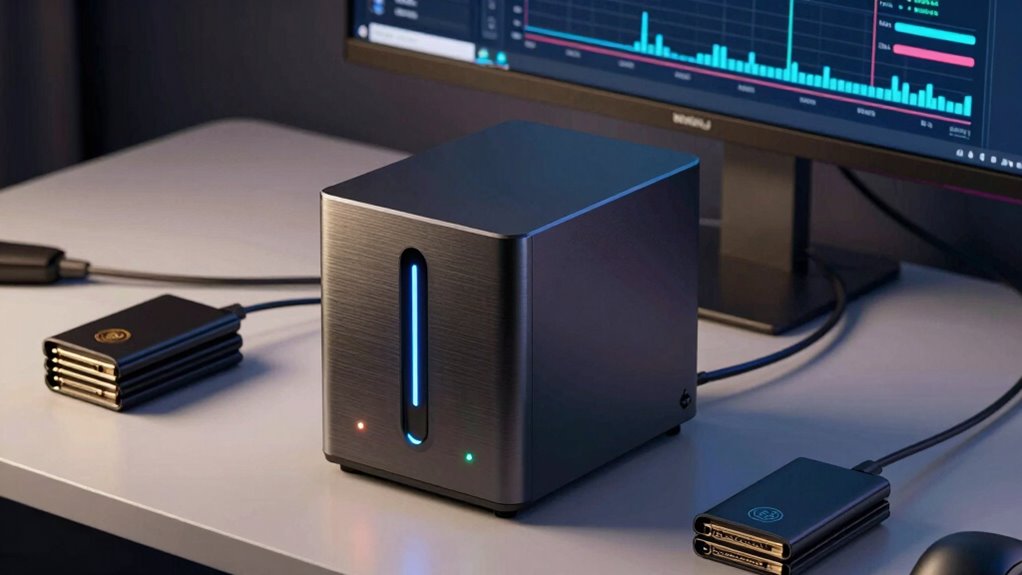
A NAS for crypto backups can keep encrypted wallet files, recovery documents, and other important records on storage you control, but it should not replace an offline recovery copy. My best overall pick is the Synology DS425+, whose four bays give a practical path to storage growth and drive redundancy. The Synology DS225+ is a more compact two-bay alternative, while the UGREEN DXP4800 Pro suits buyers who want a higher-end multi-bay platform. The main tradeoffs are ease of setup versus control, upfront drive planning versus later expansion, and network convenience versus offline security. Read on for how the ten options differ and which one fits your backup routine.

Before you orderOffer from Amazon

Get hardware and tech essentials delivered free with Prime

  • Fast, free delivery on millions of items
  • Prime Video, Amazon Music and more included
  • Member-only deals all year
Start your free Prime trial Free trial for eligible customers · Cancel anytime
As an affiliate, we earn on qualifying purchases.

10
compared
4
brands
4
max drive bays
Which nas for crypto backup should you buy?
★ Top Pick
Synology DS124 1-Bay Diskless
Best for a Simple, Dedicated Backup
Supports automatic backups from phones and computers
See on Amazon →
Windows or supported macOS users who want a simple network backup destination with storage included for encrypted crypto files.
BUFFALO LinkStation 210 4TB 1-
Includes a 4TB hard drive, so no separate drive purchase is needed to get started
View on Amazon →
Crypto holders with several computers or a small team who want a configurable, multi-drive Synology NAS for encrypted backups and snapshots.
Synology DS425+ 4-Bay Diskless
Four drive bays support a more flexible multi-drive arrangement
View on Amazon →
Home users who want a modest two-bay Synology NAS for encrypted crypto-file backups alongside routine computer and phone backups.
Synology DiskStation DS223j 2-
Two bays allow a planned multi-drive setup
View on Amazon →
Home users who want a compact two-bay Synology for crypto-file backups, snapshots, and general media or file-server duties.
Synology DS225+ 2-Bay Diskless
RAID, automated backups, and snapshots support a more considered backup setup
View on Amazon →
Drive bays — compared
Synology DS124 1-Bay Diskless 1
BUFFALO LinkStation 210 4TB 1-1
Synology DS425+ 4-Bay Diskless4
Synology DiskStation DS223j 2-2
Synology DS225+ 2-Bay Diskless2
Yxk Zero1 2-Bay Desktop NAS fo2
UGREEN NASync DXP4800 GT 4-Bay4
UGREEN DH2300 2-Bay NAS Storag2
UGREEN NAS DXP4800 Pro 4-Bay N4
UGREEN DXP4800 Plus 4-Bay NAS4
Pros & cons at a glance
Synology DS124 1-Bay Diskless
✓ Supports automatic backups from phones and computers
✗ Diskless; a compatible drive must be purchased separately
BUFFALO LinkStation 210 4TB 1-
✓ Includes a 4TB hard drive, so no separate drive purchase is needed to get started
✗ One drive bay offers no internal redundancy
Synology DS425+ 4-Bay Diskless
✓ Four drive bays support a more flexible multi-drive arrangement
✗ Diskless; drives must be selected and purchased separately
Synology DiskStation DS223j 2-
✓ Two bays allow a planned multi-drive setup
✗ Diskless; drives must be purchased separately
Synology DS225+ 2-Bay Diskless
✓ RAID, automated backups, and snapshots support a more considered backup setup
✗ Diskless; drives must be purchased separately
Yxk Zero1 2-Bay Desktop NAS fo
✓ 2.5GbE offers faster potential transfers than the 1GbE UGREEN DH2300.
✗ Hard drives must be purchased separately.
UGREEN NASync DXP4800 GT 4-Bay
✓ Four drive bays and a stated maximum capacity of 144TB allow substantial storage expansion.
✗ Hard drives and SSDs are not included.
UGREEN DH2300 2-Bay NAS Storag
✓ Automatic backups support several operating systems.
✗ Drives are sold separately.
UGREEN NAS DXP4800 Pro 4-Bay N
✓ Four bays and a stated capacity of up to 144TB provide substantial expansion room.
✗ Drives are not listed as included, and reaching maximum capacity requires separately supplied drives.
UGREEN DXP4800 Plus 4-Bay NAS
✓ Four bays and a stated maximum capacity of 144TB allow room for a growing archive.
✗ Hard drives or SSDs must be purchased separately.

Key Takeaways

  • Four-bay flexibility sets the leading options apart: the Synology DS425+ and UGREEN DXP4800 models offer more room to grow than the single- and two-bay choices.
  • A NAS is a backup destination, not a seed-phrase vault: keep recovery phrases offline and separate from any network-connected storage.
  • Two bays can be enough for a home setup: the Synology DS225+ and DS223j make more sense when capacity needs are modest and simplicity matters more than expansion.
  • The LinkStation 210 is the simplest fixed-capacity path: its included 4TB drive avoids a separate drive purchase, but gives less flexibility than diskless systems.
  • More hardware is not automatically safer: drive redundancy can help with a disk failure, but it does not protect against theft, malware, fire, or accidental deletion without separate copies.
2
BUFFALO LinkStation 210 4TB 1-
Best Ready-to-Use Backup Pick
1
Synology DS124 1-Bay Diskless
Best for a Simple, Dedicated Backup
3
Synology DS425+ 4-Bay Diskless
Best for Multi-Drive Backup Capacity

Our Top Nas For Crypto Backups Picks

Synology DS124 1-Bay Diskless NASSynology DS124 1-Bay Diskless NASBest for a Simple, Dedicated BackupModel: DS124Drive bays: 1Drive configuration: DisklessVIEW ON AMAZONSee Our Full Breakdown
BUFFALO LinkStation 210 4TB 1-Bay NAS Network StorageBUFFALO LinkStation 210 4TB 1-Bay NAS Network StorageBest Ready-to-Use Backup PickStorage capacity: 4TBDrive bays: 1Hard drive: IncludedVIEW ON AMAZONSee Our Full Breakdown
Synology DS425+ 4-Bay Diskless NASSynology DS425+ 4-Bay Diskless NASBest for Multi-Drive Backup CapacityModel: DS425+Drive bays: 4Drive configuration: DisklessVIEW ON AMAZONSee Our Full Breakdown
Synology DiskStation DS223j 2-Bay NAS (Diskless)Synology DiskStation DS223j 2-Bay NAS (Diskless)Best for Entry-Level Two-Drive SetupDrive bays: 2Drive configuration: DisklessBackup support: Macs, PCs, and mobile devicesVIEW ON AMAZONSee Our Full Breakdown
Synology DS225+ 2-Bay Diskless NASSynology DS225+ 2-Bay Diskless NASBest Premium Two-Bay PickModel: DS225+Drive bays: 2Drive status: DisklessVIEW ON AMAZONSee Our Full Breakdown
Yxk Zero1 2-Bay Desktop NAS for Home and Personal Storage (Diskless)Yxk Zero1 2-Bay Desktop NAS for Home and Personal Storage (Diskless)Best Compact 2.5GbE PickDrive bays: 2Drive inclusion: Diskless; hard drives sold separatelyNetworking: 2.5GbEVIEW ON AMAZONSee Our Full Breakdown
UGREEN NASync DXP4800 GT 4-Bay NASUGREEN NASync DXP4800 GT 4-Bay NASBest for Advanced Lab SetupsDrive bays: 4Processor: AMD Ryzen Embedded R2514, 4 cores, 8 threads, up to 3.70GHzMemory: 8GB DDR4, expandable to 64GBVIEW ON AMAZONSee Our Full Breakdown
UGREEN DH2300 2-Bay NAS Storage EnclosureUGREEN DH2300 2-Bay NAS Storage EnclosureBest for NAS BeginnersDrive bays: 2Maximum capacity: Up to 64TBMemory: 4GBVIEW ON AMAZONSee Our Full Breakdown
UGREEN NAS DXP4800 Pro 4-Bay Network Attached StorageUGREEN NAS DXP4800 Pro 4-Bay Network Attached StorageBest High-Performance All-RounderDrive bays: 4Processor: Intel Core i3-1315U, 6 cores and 8 threads, up to 4.5GHzMemory: 8GB DDR5, expandable to 96GBVIEW ON AMAZONSee Our Full Breakdown
UGREEN DXP4800 Plus 4-Bay NASUGREEN DXP4800 Plus 4-Bay NASBest Balanced 4-Bay PickDrive bays: 4Maximum storage capacity: 144TBProcessor: Intel 5-core CPUVIEW ON AMAZONSee Our Full Breakdown
Specs at a glance
nas for crypto backupDrive baysWarrantyNetworking
Synology DS124 1-Bay Diskless 12 years—
BUFFALO LinkStation 210 4TB 1-12 years, including hard drive—
Synology DS425+ 4-Bay Diskless43 years2.5GbE
Synology DiskStation DS223j 2-22 years—
Synology DS225+ 2-Bay Diskless23 years—
Yxk Zero1 2-Bay Desktop NAS fo2—2.5GbE
UGREEN NASync DXP4800 GT 4-Bay4—2 × 10GbE
UGREEN DH2300 2-Bay NAS Storag2——
UGREEN NAS DXP4800 Pro 4-Bay N4—10GbE and 2.5GbE
UGREEN DXP4800 Plus 4-Bay NAS4—1 × 10GbE, 1 × 2.5GbE

More Details on Our Top Picks

  1. Synology DS124 1-Bay Diskless NAS

    Synology DS124 1-Bay Diskless NAS

    Best for a Simple, Dedicated Backup

    View on Amazon

    The Synology DS124 suits a crypto holder who wants a private destination for wallet files, recovery documents, and computer backups without building a multi-drive system. Synology’s automatic phone and computer backups, file sharing, and private-cloud access make it easier to keep supporting records together. Unlike the BUFFALO LinkStation 210, it arrives without a drive, so you can choose storage capacity yourself—but you also need to buy and install that drive.

    Its main compromise is the single drive bay: it cannot provide a second internal drive for redundancy, so it is a poor choice as the only copy of seed phrases or wallet backups. Compared with the two-bay DS223j, the DS124 takes up less space but offers less room for a more resilient storage setup. I’d pair it with encrypted backups on separate media kept elsewhere.

    Pros:
    • Supports automatic backups from phones and computers
    • Private-cloud access and file sharing without monthly data-access fees
    • Compact enclosure for a home office or small desk
    Cons:
    • Diskless; a compatible drive must be purchased separately
    • One drive bay provides no internal drive redundancy

    Best for: Crypto holders who want a compact Synology device for an additional copy of encrypted wallet files and computer backups.

    Not ideal for: Buyers who want internal drive redundancy or a ready-to-use package; it has one bay and does not include a drive.

    • Model:DS124
    • Drive bays:1
    • Drive configuration:Diskless
    • Supported devices:Desktop, laptop, server, smartphone
    • Dimensions:2.8 × 6.54 × 8.82 in
    • Weight:1247 g
    • Enclosure material:Alloy steel
    • Warranty:2 years
    Our verdict
    “Choose the DS124 for compact, straightforward Synology backups when you will keep another encrypted copy outside the NAS.”
  2. BUFFALO LinkStation 210 4TB 1-Bay NAS Network Storage

    BUFFALO LinkStation 210 4TB 1-Bay NAS Network Storage

    Best Ready-to-Use Backup Pick

    View on Amazon

    The BUFFALO LinkStation 210 is the most straightforward pick here for buyers who want network storage with a drive already installed. Its included 4TB HDD, automated backup software, folder access controls, and SSL encryption can simplify setting up a separate home for encrypted crypto wallet files and recovery records. That makes it less of a parts-and-setup purchase than the diskless Synology DS124, though you have less freedom to select the drive yourself.

    The tradeoff is its single-bay design: a drive failure can take the NAS copy with it, so I would not treat it as the only backup. It also has a stated macOS compatibility ceiling of version 15 and earlier. Compared with the two-bay Synology DS223j, the LinkStation includes storage and is easier to start with, but offers less scope for a multi-drive arrangement. Its personal cloud access has no monthly fee.

    Pros:
    • Includes a 4TB hard drive, so no separate drive purchase is needed to get started
    • Automated backup software supports multiple computers
    • SSL encryption and folder access controls add access safeguards
    • Subscription-free personal cloud access and 24/7 US-based support
    Cons:
    • One drive bay offers no internal redundancy
    • Listed macOS compatibility is limited to version 15 and earlier

    Best for: Windows or supported macOS users who want a simple network backup destination with storage included for encrypted crypto files.

    Not ideal for: Buyers seeking internal drive redundancy, a diskless drive choice, or compatibility beyond the listed macOS 15 and earlier.

    • Storage capacity:4TB
    • Drive bays:1
    • Hard drive:Included
    • Compatibility:Windows and macOS 15 and earlier
    • Security:Closed system, SSL encryption, and folder access controls
    • Backup software:NAS Navigator and PC backup software
    • Support:24/7 US-based support
    • Warranty:2 years, including hard drive
    Our verdict
    “Pick the LinkStation 210 if you want an included drive and simple computer backups, but keep a second copy of crypto recovery data elsewhere.”
  3. Synology DS425+ 4-Bay Diskless NAS

    Synology DS425+ 4-Bay Diskless NAS

    Best for Multi-Drive Backup Capacity

    View on Amazon

    For a crypto holder who also manages backups for a household, office, or several devices, the Synology DS425+ offers the broadest multi-drive foundation among these five picks. Four bays, RAID support, and snapshots provide more ways to structure storage and recover earlier file versions than the one-bay DS124 or included-drive BUFFALO LinkStation 210. Its 2.5GbE networking can also help when moving larger backup sets across a suitable wired network.

    This flexibility comes with setup work: the DS425+ is diskless, so drives must be chosen and purchased separately. Its compact four-bay enclosure also limits expansion compared with larger systems, and the listed maximum storage volume is 80TB. I’d choose it for a planned, multi-drive backup setup—not as a substitute for offline encrypted copies of seed phrases or recovery keys.

    Pros:
    • Four drive bays support a more flexible multi-drive arrangement
    • RAID and snapshots add storage-management and file-recovery options
    • Built-in 2.5GbE networking
    • Access controls and support for up to 30 IP cameras
    Cons:
    • Diskless; drives must be selected and purchased separately
    • Compact four-bay design may limit future expansion
    • More setup and storage planning than the single-bay LinkStation 210

    Best for: Crypto holders with several computers or a small team who want a configurable, multi-drive Synology NAS for encrypted backups and snapshots.

    Not ideal for: People who want a low-effort, ready-to-use NAS, or buyers who only need a small single-device backup destination.

    • Model:DS425+
    • Drive bays:4
    • Drive configuration:Diskless
    • Networking:2.5GbE
    • Maximum storage volume:80TB
    • Maximum concurrent users:10+
    • IP camera support:Up to 30 cameras
    • Warranty:3 years
    Our verdict
    “Choose the DS425+ for configurable multi-drive crypto backup storage if you are prepared to supply drives and maintain a separate offline copy.”
  4. Synology DiskStation DS223j 2-Bay NAS (Diskless)

    Synology DiskStation DS223j 2-Bay NAS (Diskless)

    Best for Entry-Level Two-Drive Setup

    View on Amazon

    The Synology DS223j is a sensible step up from the single-bay DS124 for buyers who want a two-drive enclosure for private-cloud storage and automated backups across computers and mobile devices. Its two bays give you room to plan a mirrored arrangement, depending on the drives and configuration you choose; that is a more suitable starting point for a local crypto backup than a single-bay box. It also supports file sharing, syncing, and remote monitoring with multiple IP cameras.

    Unlike the BUFFALO LinkStation 210, the DS223j includes no drive, so the initial setup requires choosing and installing storage. Its product information does not specify a network speed, maximum capacity, or snapshot support, making it less clearly suited to throughput-heavy or advanced backup plans than the DS425+. I’d favor it for a modest Synology setup, while keeping seed phrases and recovery keys offline and separate.

    Pros:
    • Two bays allow a planned multi-drive setup
    • Automated backup support for Macs, PCs, and mobile devices
    • Private-cloud storage with file sharing and syncing
    • Supports remote monitoring with multiple IP cameras
    Cons:
    • Diskless; drives must be purchased separately
    • Provided product data does not specify network speed or maximum capacity
    • Provided product data does not list snapshot support

    Best for: Home users who want a modest two-bay Synology NAS for encrypted crypto-file backups alongside routine computer and phone backups.

    Not ideal for: Buyers who need included drives, stated high-speed networking, or product-listed snapshot support for a more advanced backup design.

    • Drive bays:2
    • Drive configuration:Diskless
    • Backup support:Macs, PCs, and mobile devices
    • Security camera support:Multiple IP cameras
    • Private cloud:Supported
    • File sharing and syncing:Supported
    • Warranty:2 years
    Our verdict
    “Choose the DS223j for an approachable two-bay Synology backup setup if you are comfortable sourcing drives and keeping recovery data offline too.”
  5. Synology DS225+ 2-Bay Diskless NAS

    Synology DS225+ 2-Bay Diskless NAS

    Best Premium Two-Bay Pick

    View on Amazon

    The Synology DS225+ fits buyers who want a compact two-bay NAS with more listed capabilities than the entry-level DS223j. RAID and snapshots offer options for organizing and recovering files, while remote access and automated backups help keep encrypted wallet files available across supported devices. Its hardware transcoding and media streaming also make it a stronger shared home server, though those features are secondary for crypto backups.

    The DS225+ is still diskless, so its 40TB maximum storage volume depends on separately purchased drives. It has two bays rather than the four in the DS425+, which leaves less room for a larger multi-drive setup. The listed transfer speed is 282 MB/s, but actual results depend on the network and configuration. I’d choose it when snapshots and a compact all-purpose Synology system matter; I would not rely on any NAS as the sole home for recovery secrets.

    Pros:
    • RAID, automated backups, and snapshots support a more considered backup setup
    • Listed transfer speed of 282 MB/s
    • Hardware transcoding and media streaming add household server utility
    • Supports smart surveillance with up to 30 IP cameras
    Cons:
    • Diskless; drives must be purchased separately
    • Two bays provide less storage flexibility than the four-bay DS425+
    • Media and surveillance features may add complexity for buyers who only need backups

    Best for: Home users who want a compact two-bay Synology for crypto-file backups, snapshots, and general media or file-server duties.

    Not ideal for: Buyers who need four drive bays, included storage, or a NAS dedicated only to simple backups without extra server features.

    • Model:DS225+
    • Drive bays:2
    • Drive status:Diskless
    • Listed transfer speed:282 MB/s
    • Maximum storage volume:40TB
    • Dimensions:9.14 × 4.25 × 6.5 in
    • Weight:1300 g
    • Warranty:3 years
    Our verdict
    “Pick the DS225+ if you want a feature-rich, compact two-bay Synology for backups and other home-server tasks, with separate offline crypto recovery copies.”
  6. Yxk Zero1 2-Bay Desktop NAS for Home and Personal Storage (Diskless)

    Yxk Zero1 2-Bay Desktop NAS for Home and Personal Storage (Diskless)

    Best Compact 2.5GbE Pick

    View on Amazon

    The Yxk Zero1 is a compact choice for someone who wants a dedicated home destination for encrypted wallet backups without stepping up to a four-bay system. Its 2.5GbE connection can move large backup archives faster than the UGREEN DH2300’s 1GbE link, provided the rest of the network supports that speed. Automated backups, snapshots, encryption, and user permissions give it useful layers for routine storage and recovery. Compared with the DH2300, it also adds Docker support, though the product details do not establish how easy that is to configure. Two bays limit expansion and redundancy options compared with the UGREEN DXP4800 Pro, and the Zero1 ships without drives or a stated maximum capacity. I’d choose it for a small, wired setup—not as the only copy of a seed phrase.

    Pros:
    • 2.5GbE offers faster potential transfers than the 1GbE UGREEN DH2300.
    • Snapshots and automated backups support recovery from accidental changes.
    • Encryption and user permissions add controls for sensitive backup files.
    • Compact, quiet design with thermal control and drive health monitoring.
    Cons:
    • Hard drives must be purchased separately.
    • Two bays offer less expansion flexibility than the four-bay UGREEN models.
    • The product details do not state a maximum storage capacity.

    Best for: Crypto holders with a small wired home network who want a compact, two-drive NAS with snapshots, encryption, and remote file access.

    Not ideal for: Buyers planning a large archive, demanding high-capacity expansion, or seeking an included drive; this is a diskless two-bay enclosure with no stated maximum capacity.

    • Drive bays:2
    • Drive inclusion:Diskless; hard drives sold separately
    • Networking:2.5GbE
    • Backup and recovery:Automated backups and snapshot recovery
    • Security and access:Encryption, user permissions, and remote file access
    • Additional software support:Docker
    • Supported operating systems:Windows, macOS, iOS, Android
    • Weight:2 kg
    Our verdict
    “Choose the Zero1 for a compact 2.5GbE backup target with snapshots and encryption, but look to a four-bay model for room to grow.”
  7. UGREEN NASync DXP4800 GT 4-Bay NAS

    UGREEN NASync DXP4800 GT 4-Bay NAS

    Best for Advanced Lab Setups

    View on Amazon

    The UGREEN NASync DXP4800 GT suits crypto holders who want backup storage alongside a capable home lab. Its four bays, dual 10GbE ports, and memory expandable to 64GB provide room for large archives and demanding network use; Docker and virtual-machine support can also host other services. That versatility separates it from the simpler two-bay UGREEN DH2300, which is easier to frame as a basic backup appliance but lacks Docker and virtual machines. For crypto backups alone, the GT may be more system than many buyers need, and its drives are not included. The stated 144TB maximum depends on separately supplied storage, while ECC support requires a compatible RAM upgrade. I’d favor it when fast transfers and lab workloads matter, not when the goal is simply a straightforward second copy.

    Pros:
    • Four drive bays and a stated maximum capacity of 144TB allow substantial storage expansion.
    • Dual 10GbE networking can support fast transfers on a compatible network.
    • Memory can be expanded from 8GB to 64GB for heavier workloads.
    • Docker, virtual machines, and ONVIF/RTSP camera support add uses beyond backups.
    Cons:
    • Hard drives and SSDs are not included.
    • Plex requires manual setup through Docker.
    • ECC error correction requires a compatible ECC RAM upgrade.

    Best for: Technically confident crypto holders who also run virtual machines, Docker services, or camera storage and have a 10GbE network.

    Not ideal for: Buyers seeking a simple, low-complexity backup box or a complete out-of-the-box storage setup; drives are not included and several advanced features call for configuration.

    • Drive bays:4
    • Processor:AMD Ryzen Embedded R2514, 4 cores, 8 threads, up to 3.70GHz
    • Memory:8GB DDR4, expandable to 64GB
    • Networking:2 × 10GbE
    • Maximum stated capacity:144TB
    • SSD expansion:Up to 2 U.2 NVMe SSDs in compatible drive bays; 2 M.2 SSD slots
    • Ports:USB-A 10Gbps, USB-C 10Gbps, USB 2.0, 4K HDMI
    • Included drives:None
    Our verdict
    “Pick the DXP4800 GT when crypto backups are part of a broader 10GbE home-lab setup, rather than for basic storage alone.”
  8. UGREEN DH2300 2-Bay NAS Storage Enclosure

    UGREEN DH2300 2-Bay NAS Storage Enclosure

    Best for NAS Beginners

    View on Amazon

    For someone setting up a first home backup routine, the UGREEN DH2300 puts ease of use ahead of server flexibility. Automatic backups across multiple operating systems, two-factor authentication, and encrypted transfers make it a practical place to store wallet-export files and other personal data. Its AI photo organization is a useful extra for a household archive, though it is less relevant to crypto files themselves. Compared with the Yxk Zero1, the DH2300 is more explicitly beginner-focused but has slower 1GbE networking and no Docker or virtual-machine support. Wired Ethernet is required unless you add an external USB Wi-Fi adapter, and the diskless enclosure still needs drives. I’d choose it for uncomplicated backup and file organization, not for advanced services or a high-speed workstation network.

    Pros:
    • Automatic backups support several operating systems.
    • Two-factor authentication and encrypted transfers add useful security controls.
    • AI photo tools can tag images, find them, and identify duplicates.
    • Supports RAID modes and up to 64TB with compatible drives.
    Cons:
    • Drives are sold separately.
    • 1GbE networking is slower than the 2.5GbE Yxk Zero1 and faster four-bay alternatives.
    • Docker and virtual machines are not supported, and Wi-Fi needs an external USB adapter.

    Best for: First-time NAS owners who want automated backups and simple organization for wallet files, photos, and documents across their devices.

    Not ideal for: Users who need Docker, virtual machines, built-in Wi-Fi, or faster-than-1GbE networking; this model focuses on basic storage tasks.

    • Drive bays:2
    • Maximum capacity:Up to 64TB
    • Memory:4GB
    • Ethernet:1GbE
    • Maximum file transfer speed:Up to 125MB/s
    • Drive support:HDDs or SSDs; drives not included
    • Backup and security features:Automatic backups, RAID modes, two-factor authentication, encrypted transfers
    • Unsupported features:Docker, virtual machines, SAN Manager
    Our verdict
    “Choose the DH2300 for accessible, wired household backups and photo organization, but skip it if you need a configurable server or faster networking.”
  9. UGREEN NAS DXP4800 Pro 4-Bay Network Attached Storage

    UGREEN NAS DXP4800 Pro 4-Bay Network Attached Storage

    Best High-Performance All-Rounder

    View on Amazon

    The UGREEN DXP4800 Pro is the strongest all-round fit here for someone building a substantial crypto-backup library who also wants room for other services. Four bays, a stated 144TB maximum, dual M.2 SSD slots, and 10GbE plus 2.5GbE networking make it more expandable than the Yxk Zero1 or DH2300. Its Intel Core i3-1315U and memory expandable to 96GB also support Docker and virtual machines, so it can handle more than scheduled file copies. That power brings added setup and drive-purchasing decisions, and the 144TB figure requires separately supplied drives and SSDs. Compared with the DXP4800 GT, it lists faster-expandable DDR5 memory capacity, while the GT offers dual 10GbE ports. I’d pick the Pro for a fast, flexible central archive, while keeping separate offline recovery copies.

    Pros:
    • Four bays and a stated capacity of up to 144TB provide substantial expansion room.
    • 10GbE and 2.5GbE networking give it more network flexibility than the two-bay models.
    • Memory expands to 96GB, with Docker and virtual-machine support for added workloads.
    • Dual M.2 PCIe 4.0 slots and tool-free drive trays support flexible storage setup.
    Cons:
    • Drives are not listed as included, and reaching maximum capacity requires separately supplied drives.
    • Advanced networking and software features may be unnecessary for buyers seeking only simple backups.
    • The stated maximum transfer speed depends on compatible drives and network equipment.

    Best for: Crypto holders with a growing archive, a compatible fast network, and interest in running containers or virtual machines alongside backups.

    Not ideal for: Buyers who want a small, simple appliance or included storage; its four-bay capacity and advanced features add setup complexity, and drives are not listed as included.

    • Drive bays:4
    • Processor:Intel Core i3-1315U, 6 cores and 8 threads, up to 4.5GHz
    • Memory:8GB DDR5, expandable to 96GB
    • Maximum storage capacity:144TB (4 HDDs and 2 M.2 SSDs)
    • Networking:10GbE and 2.5GbE
    • SSD slots:2 M.2 PCIe 4.0
    • RAID modes:0, 1, 5, 10
    • Operating system:UGOS Pro
    Our verdict
    “Choose the DXP4800 Pro for a fast, expandable crypto archive that may also run other services, and look elsewhere for a simpler two-bay setup.”
  10. UGREEN DXP4800 Plus 4-Bay NAS

    UGREEN DXP4800 Plus 4-Bay NAS

    Best Balanced 4-Bay Pick

    View on Amazon

    The UGREEN DXP4800 Plus is a balanced four-bay option for buyers who want centralized backups and room to expand without choosing the more specified DXP4800 Pro or the dual-10GbE DXP4800 GT. It pairs 10GbE and 2.5GbE networking with automatic backups, RAID, encryption, Docker, and virtual-machine support, so it can serve as more than a repository for wallet exports. The listed 128GB internal SSD is a useful distinction, but it does not replace the separately purchased storage drives needed for the stated 144TB capacity. Like the Pro, it offers a 4K HDMI output; unlike the GT, it lists only one 10GbE port. Wi-Fi is unsupported, so a wired connection is part of the setup. I’d choose the Plus for flexible household or small-team storage, rather than for a wireless or drive-included solution.

    Pros:
    • Four bays and a stated maximum capacity of 144TB allow room for a growing archive.
    • 10GbE and 2.5GbE ports support different wired network setups.
    • Automatic backups, RAID, and encryption cover common storage and protection needs.
    • Docker and virtual-machine support offer more flexibility than the beginner-focused DH2300.
    Cons:
    • Hard drives or SSDs must be purchased separately.
    • Wi-Fi is not supported, so the NAS needs a wired Ethernet connection.
    • Actual transfer speeds vary with the network, drives, and file sizes.

    Best for: Households or small teams that want a wired four-bay NAS for encrypted crypto backups, automatic device backups, and optional Docker or VM workloads.

    Not ideal for: Buyers who need built-in Wi-Fi, bundled hard drives, or dual 10GbE connections; the Plus requires wired networking and separately purchased storage.

    • Drive bays:4
    • Maximum storage capacity:144TB
    • Processor:Intel 5-core CPU
    • Memory:8GB DDR5 RAM
    • Networking:1 × 10GbE, 1 × 2.5GbE
    • Internal SSD:128GB
    • Video output:4K HDMI
    • Wireless connectivity:Wi-Fi not supported
    • Included storage drives:None
    Our verdict
    “Choose the DXP4800 Plus for versatile four-bay wired storage with broad backup and server features, but budget for drives and skip it if you need Wi-Fi.”
nas for crypto backups
What makes a great nas for crypto backup
1
Keep Recovery Secrets Separate From Network Storage
A NAS is designed to be reachable over a network, which makes it convenient for files but a poor place for an unencrypted recovery
2
Choose Bay Count Around Growth and Failure Planning
One bay can suit a small, fixed collection, but it leaves fewer options when capacity runs short or the drive fails.
3
Decide Whether Included Drives or Diskless Hardware Fits
The Buffalo LinkStation 210 arrives with a 4TB drive, which can simplify a first purchase for someone who wants a ready-to-configu
4
Check Backup Software, Encryption, and Recovery Steps
Before buying, confirm how the NAS handles encryption, user permissions, snapshots, scheduled backups, and remote access.
How to choose your nas for crypto backup
1
How we picked
I ranked these devices for the specific job of storing encrypted crypto-related backup files, not as general-purpose med
2
Keep Recovery Secrets Separate From Network Storage
A NAS is designed to be reachable over a network, which makes it convenient for files but a poor place for an unencrypte
3
Choose Bay Count Around Growth and Failure Planning
One bay can suit a small, fixed collection, but it leaves fewer options when capacity runs short or the drive fails.
4
Decide Whether Included Drives or Diskless Hardware Fits
The Buffalo LinkStation 210 arrives with a 4TB drive, which can simplify a first purchase for someone who wants a ready-
5
Check Backup Software, Encryption, and Recovery Steps
Before buying, confirm how the NAS handles encryption, user permissions, snapshots, scheduled backups, and remote access
Vetted nas for crypto backups ·
The best nas for crypto backups, compared
★ Winner Synology DS124 1-Bay Diskless
Best for a Simple, Dedicated Backup
10compared
4top drive bays

How We Picked

I ranked these devices for the specific job of storing encrypted crypto-related backup files, not as general-purpose media servers. I weighed bay count and room to expand, setup and ongoing management, the drive-included versus diskless tradeoff, and whether the device makes sense for a buyer who needs dependable local storage without confusing that role with wallet security.

The Synology DS425+ leads for its balanced four-bay layout; the DS225+ follows for buyers who want a smaller system, while the UGREEN DXP4800 Pro is the premium-oriented alternative. Single-bay units rank lower because they offer less flexibility if a drive fails or capacity grows. The other UGREEN and Synology models fill narrower roles, and I place the LinkStation 210 and Yxk Zero1 according to their fit for simpler or less demanding setups. Product names alone do not establish encryption, backup automation, or security capabilities, so buyers should confirm those details in current documentation before storing sensitive files.

Everyday → specialist
Everyday & valuePremium & specialist
Which nas for crypto backup fits you?
The everyday user
All-round, reliable
The enthusiast
Premium & high-performance
The gift-giver
Looks & craftsmanship

Factors to Consider When Choosing Nas For Crypto Backups

Choosing a NAS for crypto backups starts with deciding what the NAS will store and what it must never store. These broader checks can help prevent a capable storage box from becoming the only copy of something you cannot replace.

Keep Recovery Secrets Separate From Network Storage

A NAS is designed to be reachable over a network, which makes it convenient for files but a poor place for an unencrypted recovery phrase. Store wallet backups as encrypted files only when you have a clear method to unlock them that does not depend on the NAS itself. Keep seed phrases and recovery instructions offline, protected separately, and never upload them alongside the encrypted wallet file. A common mistake is treating drive redundancy as protection from a compromised account or stolen device. Redundancy can help when a drive fails, but it cannot stop someone with access to your network or credentials. Plan at least one separate, offline copy for the records that would be hardest to replace.

Choose Bay Count Around Growth and Failure Planning

One bay can suit a small, fixed collection, but it leaves fewer options when capacity runs short or the drive fails. Two bays allow more flexible storage arrangements, while four bays provide additional room to grow and configure storage, depending on the NAS software and supported drives. More bays do not automatically mean a backup is safe: a mirrored setup can still copy accidental deletions or damaged files. Estimate how much data you will retain over several years, including versioned copies and documents beyond wallet files. If you expect gradual growth, paying for extra bays may be more useful than buying a larger single drive today. Check the manufacturer’s supported configurations before settling on a storage layout.

Decide Whether Included Drives or Diskless Hardware Fits

The Buffalo LinkStation 210 arrives with a 4TB drive, which can simplify a first purchase for someone who wants a ready-to-configure unit. The other listed options are diskless or described as enclosures, so their final capacity and drive cost depend on the disks you choose. Diskless hardware gives you more say over capacity and drive selection, but it also means checking compatibility and installing the drives yourself. Avoid choosing a drive only by its capacity; verify that it is supported and suited to continuous NAS use. Think about replacement availability too, since the storage plan should remain practical if a drive needs replacing later. A bundled drive is convenient, while diskless flexibility can suit buyers with a deliberate storage plan.

Check Backup Software, Encryption, and Recovery Steps

Before buying, confirm how the NAS handles encryption, user permissions, snapshots, scheduled backups, and remote access. These capabilities depend on the specific model and software version, so do not infer them from a product family name. For crypto-related files, a strong setup uses a dedicated account, limited network exposure, and encrypted copies stored separately from the live wallet environment. Write down how to restore the files and test that process with non-sensitive sample data. A backup that cannot be opened after a forgotten password or software change is not useful. Prefer a routine you can maintain over a complicated security setup you may stop checking.

Plan for Off-Site Copies and Physical Risks

A NAS in the same room as your computer is vulnerable to many of the same events, including theft, fire, and power damage. Keep another copy in a separate location or on an offline medium, and update it on a schedule you can follow. Remote access can support off-site backups, but it also adds exposure and requires careful account and network controls. Do not assume that RAID, mirroring, or a multi-bay chassis substitutes for a geographically separate copy. Consider who can access the NAS and how you would recover if your home network were unavailable. For important wallet records, physical separation is part of the backup plan, not an optional NAS feature.

Match Complexity to the Person Maintaining It

A multi-bay NAS can offer room to grow, but it also brings more decisions about drives, storage pools, updates, accounts, and recovery. A simpler system may be a better fit if one person will manage it and the goal is a few encrypted files with scheduled copies. Before buying a premium model, identify which specific task its extra capacity or hardware will improve. For a beginner, clear setup instructions and a repeatable backup routine matter more than a long feature list. For an experienced user, flexibility may justify the added configuration work. Choose a system that someone in your household can maintain and restore from, even after time away from the setup.

Frequently Asked Questions

Is a NAS safe for storing a crypto wallet recovery phrase?

I would not store a recovery phrase as a plain file on any network-connected NAS. A NAS can hold encrypted wallet backups or supporting documents, but keep the phrase itself offline and physically separate. If you use encryption, store the unlock key independently so a NAS compromise does not reveal both the file and its password. Also limit remote access and give the backup account only the permissions it needs. The NAS should be one layer in a recovery plan, not the sole keeper of wallet access.

Do I need four bays for crypto backups?

Not necessarily: a small collection of encrypted wallet files may fit comfortably on a two-bay system. Four bays make more sense if you expect storage growth, want additional configuration choices, or plan to store other household backups on the same device. Extra bays do not, by themselves, protect against ransomware, accidental deletion, or damage to the whole NAS. Compare the likely storage needs with the added drive management and setup. Choose capacity for your whole backup routine, not just the current size of a wallet file.

Is a mirrored NAS enough if one drive fails?

Mirroring can keep data available after some single-drive failures, depending on how the NAS is configured, but it is not a complete backup strategy. Deletions, corrupted files, malware, theft, and physical damage can affect both copies in the same system. Keep a separate backup that is not continuously exposed to the NAS, and store at least one copy away from the device. Check how your chosen NAS handles recovery and replacement drives before relying on a mirrored setup. Treat drive redundancy as a way to reduce downtime, not as a substitute for independent copies.

Should I choose a diskless NAS or the Buffalo model with a drive included?

The Buffalo LinkStation 210’s included 4TB drive can make setup more direct if that capacity and its fixed configuration suit your needs. A diskless option such as the Synology or UGREEN models lets you choose drives and capacity, but requires compatibility checks, installation, and separate drive planning. Consider whether you want the control of selecting storage or the convenience of a bundled drive. In either case, verify the current specifications, supported drives, and backup features before purchase. The drive choice does not change the need for an encrypted, separate copy of sensitive recovery data.

Can I access crypto backups remotely without weakening security?

Remote access adds convenience, but it also creates another route to the files, so I would not expose a NAS casually to the internet. Check the manufacturer’s current guidance for secure access, use unique credentials and multifactor protection where supported, and keep the NAS software updated. Limit access to the accounts and devices that genuinely need it. For sensitive backup files, consider whether an offline update routine meets your needs better than continuous remote access. Test recovery from a separate copy before depending on remote access during an emergency.

Conclusion

For most buyers seeking a balanced crypto-backup destination, I would start with the Synology DS425+ as the best overall pick: its four-bay layout offers more room to plan storage growth than the smaller models. The Synology DS225+ is my best value-style choice for a home setup that needs two bays rather than a larger chassis. Buyers who want a premium-oriented four-bay alternative should compare the UGREEN DXP4800 Pro with the DS425+ against their software and configuration needs. Beginners who prefer a bundled drive can look at the Buffalo LinkStation 210, while accepting its more limited expansion path. For a compact or low-capacity setup, compare the two-bay Synology and UGREEN options; whichever you choose, keep recovery phrases offline and maintain a separate backup beyond the NAS.

Nothing in this article is financial or investment advice. Cryptocurrency and precious-metal investments carry significant risk — do your own research and consider a licensed advisor.
HALLOWEEN

Halloween Picks

As an affiliate, we earn on qualifying purchases.

You May Also Like

8 Best Super Ultrawide Monitors for Productivity in 2026

Discover the top super ultrawide monitors for productivity in 2026. From the best overall to budget picks, find the perfect display for your workflow.

15 Best Sous-Vide Immersion Circulators of 2026: Top Picks for Perfectly Cooked Meals

Discover the top sous vide immersion circulators for 2026. Find the best overall, budget-friendly, and premium options with expert insights to guide your choice.

9 Best MacBook Pro Models for Video Editing in 2026: Power, Performance, and Precision

Discover the top MacBook Pro models for video editing in 2026. Find the best overall, value, premium, and beginner options for your workflow.

8 Best 6-Inch Double Wall Stove Pipe Kits for Safe and Efficient Ventilation

Find the best 6 inch double wall stove pipe kit in 2026. Our top picks balance safety, durability, and ease of installation. Read the full guide now!