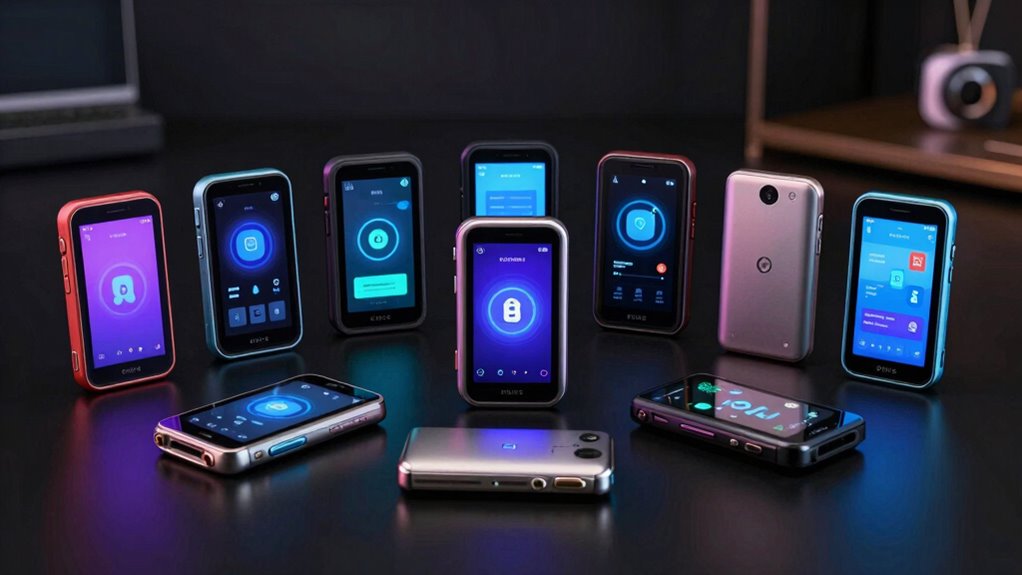

A touchscreen hardware wallet lets you review and approve crypto transactions on the device, but screen size, security design, and connectivity vary widely. I rank the Trezor Safe 5 as the best overall choice for its color touchscreen and straightforward hardware-wallet focus. The Keystone 3 Pro stands out for buyers who prioritize air-gapped signing, while the Ledger Flex offers an E Ink touchscreen in a slimmer format than the Ledger Stax. The main tradeoff is choosing between a more isolated signing workflow, broader convenience features, and a screen that suits your everyday use. Read on for the full breakdown, buying advice, and recommendations by buyer type.

Get hardware and tech essentials delivered free with Prime
- Fast, free delivery on millions of items
- Prime Video, Amazon Music and more included
- Member-only deals all year
Key Takeaways
- The Trezor Safe 5 takes the overall lead for buyers seeking a color touchscreen without making air-gapped signing the center of the experience.
- Keystone 3 Pro is the clearest air-gapped pick in this group, while its QR-based workflow may feel less convenient than connected options.
- Ledger Flex and Ledger Stax serve different priorities: Flex favors a compact E Ink screen, while Stax is the more screen-forward premium option.
- OneKey Pro and the listed Pro Crypto Cold Wallet emphasize added access features such as fingerprint unlocking, but extra features do not replace careful recovery-phrase protection.
- The roundup includes two Trezor Safe 5 listings with different color descriptions; buyers should check the exact variant and included accessories before ordering.
| Keystone 3 Pro Air-Gapped Cryptocurrency Hardware Wallet |  | Best for QR-Based Air-Gapped Signing | Screen: 4-inch touchscreen | Connectivity: Air-gapped; QR-code transactions | Cryptocurrency support: Over 1,000 | VIEW ON AMAZON | See Our Full Breakdown |
| OneKey Pro Crypto Cold Wallet – Air-Gapped, Offline Keys, 4× EAL6+ Secure Elements, 3.5″ Touchscreen, Fingerprint Unlock, Bluetooth/USB-C, White |  | Best for Fingerprint Access and Broad Connectivity | Screen: 3.5-inch touchscreen | Security elements: Four EAL6+ secure elements | Signing: Air-gapped QR signing | VIEW ON AMAZON | See Our Full Breakdown |
| Ledger Stax Crypto Wallet with Touchscreen |  | Best Premium E Ink Touchscreen | Display: 3.7-inch curved E Ink touchscreen | Supported assets: 15,000+ cryptocurrencies across multiple chains | Connectivity: Wireless | VIEW ON AMAZON | See Our Full Breakdown |
| Trezor Safe 5 Crypto Hardware Wallet with Color Touchscreen, Black Graphite |  | Best for Tactile On-Screen Confirmation | Model: Trezor Safe 5 (TS5) | Display: Color touchscreen with Gorilla Glass | Feedback: Haptic feedback | VIEW ON AMAZON | See Our Full Breakdown |
| OneKey Pro Crypto Cold Wallet with Touchscreen and Fingerprint Unlock |  | Best for Mobile and Desktop Flexibility | Screen: 3.5-inch touchscreen | Security: Four EAL6+ secure elements; air-gapped QR signing | Unlock: Fingerprint | VIEW ON AMAZON | See Our Full Breakdown |
| SecuX W20 Crypto Hardware Wallet with Touchscreen and Bluetooth |  | Best for Broad Network Support | Security certification: CC EAL5+ | Display: 2.8-inch color touchscreen | Supported assets: 10,000+ coins and tokens across 300+ chains | VIEW ON AMAZON | See Our Full Breakdown |
| Trezor Safe 5 Crypto Hardware Wallet with Color Touchscreen |  | Best for Tactile On-Device Confirmation | Security element: EAL 6+ Secure Element | Display: Color touchscreen with Gorilla Glass | Touch feedback: Haptic feedback | VIEW ON AMAZON | See Our Full Breakdown |
| Ledger Flex Crypto Wallet with 2.8-Inch E Ink Touchscreen |  | Best for E Ink Transaction Review | Display technology: Electronic Ink | Screen size: 2.8 inches | Connectivity: Bluetooth | VIEW ON AMAZON | See Our Full Breakdown |
| touchscreen hardware wallet | Connectivity | Supported assets | Weight | Display |
|---|---|---|---|---|
| Keystone 3 Pro Air-Gapped Cryp | Air-gapped; QR-code transactions | — | 9.9 ounces | — |
| OneKey Pro Crypto Cold Wallet | Bluetooth and USB-C | — | — | — |
| Ledger Stax Crypto Wallet with | Wireless | 15,000+ cryptocurrencies across multiple chains | — | 3.7-inch curved E Ink touchscreen |
| Trezor Safe 5 Crypto Hardware | — | Thousands of coins and tokens, including Bitcoin and Ethereum | — | Color touchscreen with Gorilla Glass |
| OneKey Pro Crypto Cold Wallet | Bluetooth and USB-C | — | 65 g | — |
| SecuX W20 Crypto Hardware Wall | Bluetooth | 10,000+ coins and tokens across 300+ chains | 1.8 ounces | 2.8-inch color touchscreen |
| Trezor Safe 5 Crypto Hardware | — | Thousands of coins and tokens, including Bitcoin and Ethereum | — | Color touchscreen with Gorilla Glass |
| Ledger Flex Crypto Wallet with | Bluetooth | 15,000+ cryptocurrencies across multiple chains | 55.2 g | — |
More Details on Our Top Picks
Keystone 3 Pro Air-Gapped Cryptocurrency Hardware Wallet
The Keystone 3 Pro makes the most sense for buyers who want a large touchscreen while keeping transaction signing separate from a direct device connection. Its 4-inch display gives more room to inspect transaction details than the OneKey Pro’s 3.5-inch screen, while QR-code transfers keep the signing process air-gapped. Support for over 1,000 cryptocurrencies, multisignature features, and recovery phrases compatible with BIP32/39/44 wallets give it flexibility across setups. Open-source firmware, hardware design, and wallet application also suit buyers who value inspectable software. The tradeoff is a less direct workflow than a connected signer: QR transfers add steps, and the product information flags battery or charging issues that may call for a firmware update. Compared with the Ledger Stax, it prioritizes air-gapped operation over wireless convenience.
Pros:- Air-gapped QR-code transactions keep signing separate from a direct internet connection.
- The 4-inch touchscreen offers more room for transaction review than the OneKey Pro’s 3.5-inch display.
- Supports over 1,000 cryptocurrencies and multisignature features.
- Open-source firmware, hardware design, and wallet application, with BIP32/39/44-compatible recovery phrases.
Cons:- QR-based transfers add steps compared with more direct connected-wallet workflows.
- Battery or charging issues may require a firmware update.
- At 9.9 ounces, the listed weight is substantial for a portable wallet.
Best for: Crypto holders who want a large touchscreen and QR-based signing, especially those using compatible recovery-phrase standards or multisignature setups.
Not ideal for: People who want a simple direct-connect signing flow or who prefer a compact wallet; QR steps and the 9.9-ounce listed weight make this less convenient to carry and use casually.
- Screen:4-inch touchscreen
- Connectivity:Air-gapped; QR-code transactions
- Cryptocurrency support:Over 1,000
- Security:Secure element
- Recovery phrase compatibility:BIP32/39/44 wallets
- Dimensions:4.72 × 3.15 × 1.57 inches
- Weight:9.9 ounces
- Model:Keystone 3 Pro
Our verdict“Choose the Keystone 3 Pro if a large touchscreen and QR-based air-gapped signing matter more to you than a quicker connected workflow.”
OneKey Pro Crypto Cold Wallet – Air-Gapped, Offline Keys, 4× EAL6+ Secure Elements, 3.5″ Touchscreen, Fingerprint Unlock, Bluetooth/USB-C, White
The OneKey Pro pairs a 3.5-inch touchscreen with fingerprint unlock, making it a stronger fit for people who want frequent access without entering a PIN for every interaction. Like the Keystone 3 Pro, it supports air-gapped QR signing; unlike that wallet, it also lists Bluetooth and USB-C, giving buyers alternate connection paths. Four EAL6+ secure elements, open-source software, and cited independent audits are part of its security pitch, while compatibility with desktop and mobile systems adds flexibility. This combination makes it more feature-dense than the Trezor Safe 5, whose listed appeal centers on a color touchscreen and haptic feedback. The tradeoff is a more involved set of signing options, and the supplied data is inconsistent about coin counts, so I would not treat its varying support claims as a precise asset total.
Pros:- Air-gapped QR signing offers an offline transaction path.
- Four EAL6+ secure elements and fingerprint unlock are listed as core security and access features.
- Bluetooth and USB-C provide connection choices beyond QR signing.
- Open-source software, reproducible builds, and cited independent audits.
Cons:- QR signing, Bluetooth, and USB-C can mean different workflows to learn and manage.
- The supplied product details give inconsistent supported-coin counts.
- A 3.5-inch screen is smaller than the Keystone 3 Pro’s 4-inch touchscreen.
Best for: Active crypto users who want fingerprint access, air-gapped QR signing, and the option to connect across desktop and mobile devices.
Not ideal for: Buyers who want the simplest possible setup or a clearly specified asset-support list; multiple signing routes and inconsistent coin-count claims may create uncertainty.
- Screen:3.5-inch touchscreen
- Security elements:Four EAL6+ secure elements
- Signing:Air-gapped QR signing
- Unlock:Fingerprint unlock
- Connectivity:Bluetooth and USB-C
- Supported platforms:Windows, macOS, Linux, Android, and iOS
- Additional features:Wireless charging; open-source software
- Color:White
Our verdict“Pick the OneKey Pro if you want biometric access and several signing options in one touchscreen wallet, and are comfortable verifying asset support for your setup.”
Ledger Stax Crypto Wallet with Touchscreen
The Ledger Stax stands apart through its 3.7-inch curved E Ink touchscreen, a distinctive format for reviewing and signing transactions. Its listed support for more than 15,000 cryptocurrencies gives it broader stated asset coverage than the Keystone 3 Pro, though the Ledger workflow depends on the Ledger Wallet app. That app-based requirement is the main buying distinction: Stax suits people who want a touchscreen signer within Ledger’s software environment, not buyers seeking an entirely standalone experience. The included offline, PIN-protected Ledger Recovery Key gives users a dedicated recovery option. Compared with the air-gapped Keystone and OneKey Pro, the Stax is described as wireless rather than QR-based, so it favors convenience over the explicit air-gap approach those models emphasize. Its unusual display and app dependence are real tradeoffs alongside its broad support.
Pros:- Curved 3.7-inch E Ink touchscreen provides a distinctive surface for transaction review and signing.
- Listed support for more than 15,000 cryptocurrencies across multiple chains.
- Includes an offline, PIN-protected Ledger Recovery Key.
- Wireless connectivity avoids relying solely on a wired connection.
Cons:- Requires the Ledger Wallet app to manage assets.
- Does not list the QR-based air-gapped signing offered by the Keystone 3 Pro and OneKey Pro.
- The supplied specifications list a C battery, which may be less straightforward than a rechargeable-battery detail.
Best for: Ledger Wallet app users who want a premium curved E Ink touchscreen and broad stated asset support.
Not ideal for: People seeking QR-based air-gapped signing or a wallet that manages assets without Ledger Wallet; its app dependency narrows the workflow.
- Display:3.7-inch curved E Ink touchscreen
- Supported assets:15,000+ cryptocurrencies across multiple chains
- Connectivity:Wireless
- Backup:Offline, PIN-protected Ledger Recovery Key
- Package dimensions:6.3 × 5.94 × 1.46 inches
- Item weight:9.9 ounces
- Battery:One C battery, included
- Model:Ledger Stax
Our verdict“Choose Ledger Stax if you already use Ledger Wallet and want its curved E Ink touchscreen, rather than an air-gapped QR-first wallet.”
Trezor Safe 5 Crypto Hardware Wallet with Color Touchscreen, Black Graphite
The Trezor Safe 5 is the clearest choice here for buyers who want a color touchscreen paired with tactile feedback. Its haptic feedback gives confirmations a physical cue, while Gorilla Glass protects the display; together, those details distinguish it from the E Ink Ledger Stax and the larger air-gapped Keystone 3 Pro. An EAL 6+ Secure Element and support for thousands of coins and tokens round out the listed features, with Trezor Suite providing the companion software. This is a more compact option on paper than the 9.9-ounce Ledger Stax, and its 23-gram listed weight is notably low. However, the supplied dimensions and aluminum material description are unusual for a typical hardware wallet, so I would verify the physical details before relying on them. Buyers also need to be comfortable with the Trezor Suite workflow.
Pros:- Color touchscreen pairs visual controls with haptic feedback.
- EAL 6+ Secure Element is listed for security.
- Gorilla Glass protects the display.
- Supports thousands of coins and tokens, including Bitcoin and Ethereum.
Cons:- The product details list dimensions and aluminum material that may not clearly describe a typical hardware wallet.
- Uses the Trezor Suite app for support and management rather than listing an app-independent workflow.
- No air-gapped QR signing is listed, unlike the Keystone 3 Pro and OneKey Pro.
Best for: Buyers who want color touchscreen controls with haptic confirmation and plan to manage assets through Trezor Suite.
Not ideal for: People who want QR-based air-gapped signing or need confidently documented physical dimensions; the supplied size and material details are unclear.
- Model:Trezor Safe 5 (TS5)
- Display:Color touchscreen with Gorilla Glass
- Feedback:Haptic feedback
- Security element:EAL 6+ Secure Element
- Supported assets:Thousands of coins and tokens, including Bitcoin and Ethereum
- Companion app:Trezor Suite
- Included components:USB cable and recovery seed card
- Listed weight:23 g
- Listed dimensions and material:2.6 × 0.3 × 1.6 inches; aluminum
Our verdict“Choose the Trezor Safe 5 if tactile feedback and a color touchscreen matter more than QR-based air-gapped signing or fully clear physical specifications.”
OneKey Pro Crypto Cold Wallet with Touchscreen and Fingerprint Unlock
This OneKey Pro is a flexible pick for buyers who want touchscreen and fingerprint controls without giving up a choice of signing and connection methods. Its QR-based air-gapped signing suits offline-minded users, while Bluetooth and USB-C can fit workflows that favor direct device connections. The 3.5-inch display is smaller than the Keystone 3 Pro’s 4-inch screen, but fingerprint unlock and support for Windows, macOS, Linux, Android, and iOS make this version appealing across devices. Four EAL6+ secure elements and open-source software are notable listed safeguards. Compared with the Trezor Safe 5, this model emphasizes biometric access and connection flexibility rather than haptic feedback. Its main compromise is complexity: QR signing, Bluetooth, and USB-C offer options, but they do not make for one uniform workflow.
Pros:- Air-gapped QR signing offers an offline transaction method.
- Fingerprint unlock and a touchscreen support quick on-device interaction.
- Bluetooth and USB-C work alongside QR signing.
- Lists compatibility with Windows, macOS, Linux, Android, and iOS.
Cons:- The 3.5-inch screen is smaller than the Keystone 3 Pro’s 4-inch touchscreen.
- QR, Bluetooth, and USB-C workflows may require separate steps and habits.
- The listed 512 MB memory capacity and 1 MB/s read speed provide limited detail about practical data-transfer performance.
Best for: People who switch between desktop and mobile devices and want both QR-based signing and Bluetooth or USB-C connectivity.
Not ideal for: Buyers who want a large display or one straightforward connection method; the screen is smaller than the Keystone 3 Pro’s and the multiple workflows add choices.
- Screen:3.5-inch touchscreen
- Security:Four EAL6+ secure elements; air-gapped QR signing
- Unlock:Fingerprint
- Connectivity:Bluetooth and USB-C
- Supported platforms:Windows, macOS, Linux, Android, and iOS
- Memory storage capacity:512 MB
- Weight:65 g
- Warranty:1 year
- Color:Black
Our verdict“Pick this OneKey Pro if cross-platform use and flexible signing options matter more than a larger screen or a simpler workflow.”
SecuX W20 Crypto Hardware Wallet with Touchscreen and Bluetooth
The SecuX W20 is a strong fit for buyers whose holdings span many networks: its stated support for 10,000+ assets across 300+ chains is broader network coverage than the product details provided for the Trezor Safe 5. Its 2.8-inch color touchscreen lets you check balances and verify transaction details on the device, while the CC EAL5+ secure element and PIN protection add layers of key protection. Bluetooth gives it a convenient route to compatible phones and laptops, and MetaMask and WalletConnect support may fit existing Web3 workflows. The tradeoff is that Bluetooth is not a match for buyers who want to avoid wireless connections; the Keystone 3 Pro, by comparison, is an air-gapped option. Its polycarbonate body is also not water resistant, so it calls for careful storage.
Pros:- Supports more than 10,000 coins and tokens across 300+ chains
- 2.8-inch color touchscreen supports balance viewing and transaction verification on-device
- CC EAL5+ secure element and PIN protection
- Works with MetaMask and WalletConnect
Cons:- Bluetooth may not suit buyers who prefer a fully disconnected device
- Not water resistant
- Polycarbonate construction may be less appealing to buyers seeking a more rugged finish
Best for: Crypto holders managing assets across many chains who want an on-device color display and Bluetooth access from a phone or laptop.
Not ideal for: Buyers who require an air-gapped or wireless-free workflow, or who need a water-resistant wallet.
- Security certification:CC EAL5+
- Display:2.8-inch color touchscreen
- Supported assets:10,000+ coins and tokens across 300+ chains
- Connectivity:Bluetooth
- PIN protection:Dynamic keypad; resets after 5 unsuccessful entries
- Dimensions:3.5 × 2.32 × 0.51 inches
- Weight:1.8 ounces
- Water resistance:Not water resistant
Our verdict“Choose the SecuX W20 if broad chain coverage and Bluetooth convenience matter more to you than an air-gapped connection.”
Trezor Safe 5 Crypto Hardware Wallet with Color Touchscreen
The Trezor Safe 5 makes a compelling case for buyers who want a touchscreen that gives feedback as they interact with it. Its haptic feedback can make on-device selections feel more deliberate than a visual-only touch interface, while Gorilla Glass helps protect the display from everyday handling. An EAL 6+ Secure Element and open-source design will appeal to buyers weighing security hardware and software transparency together. Compared with the SecuX W20, the Safe 5 has a higher stated secure-element rating, but the W20 lists more specific asset and chain coverage. The main workflow tradeoff is that asset management requires the Trezor Suite app; this is less suitable for anyone seeking an app-independent experience. Its listed dimensions also describe a compact device, but the provided information does not specify screen size.
Pros:- EAL 6+ Secure Element
- Color touchscreen with haptic feedback
- Gorilla Glass display
- Open-source design and support for thousands of assets
Cons:- Requires the Trezor Suite app for asset management
- Provided product details do not specify the touchscreen size
- Asset support is described broadly rather than with a specific chain count
Best for: Security-minded crypto owners who value tactile confirmation, an open-source design, and management through Trezor Suite.
Not ideal for: Buyers who want detailed, stated chain coverage or prefer managing assets without relying on a companion app.
- Security element:EAL 6+ Secure Element
- Display:Color touchscreen with Gorilla Glass
- Touch feedback:Haptic feedback
- Software design:Open-source
- Supported assets:Thousands of coins and tokens, including Bitcoin and Ethereum
- Dimensions:2.6 × 0.3 × 1.6 inches (D × W × H)
- Companion app:Trezor Suite for desktop and mobile
- Model number:TS5
Our verdict“Pick the Trezor Safe 5 if tactile touchscreen feedback and its open-source approach matter more to you than explicitly listed chain breadth.”
Ledger Flex Crypto Wallet with 2.8-Inch E Ink Touchscreen
The Ledger Flex stands apart from the color-screen SecuX W20 and Trezor Safe 5 with its 2.8-inch E Ink touchscreen. That display choice makes this the pick for buyers who prefer an E Ink interface for reviewing transactions, rather than a conventional color touchscreen. Ledger lists support for 15,000+ cryptocurrencies, the largest stated asset total among these three products, and Bluetooth connects it to the Ledger Wallet app. The included PIN-protected offline recovery key and recovery sheets add dedicated recovery components to the package. The tradeoffs are a modest 1.5 MB storage capacity and dependence on the Ledger app for connected asset management. Buyers who want a more self-contained software workflow may prefer another approach, while those focused on broad listed asset support may find the Flex a better match.
Pros:- 2.8-inch E Ink touchscreen for transaction review
- Supports more than 15,000 cryptocurrencies across multiple chains
- Includes a PIN-protected offline recovery key and three recovery sheets
- Bluetooth connection to the Ledger Wallet app
Cons:- Connected asset management requires the Ledger Wallet app
- Storage capacity is listed as 1.5 MB
- Bluetooth may not suit buyers who want to avoid wireless connectivity
Best for: Ledger Wallet app users who manage a wide range of cryptocurrencies and prefer an E Ink touchscreen for transaction review.
Not ideal for: Buyers who want app-independent connected asset management or who prefer a fully disconnected wallet without Bluetooth.
- Display technology:Electronic Ink
- Screen size:2.8 inches
- Connectivity:Bluetooth
- Storage capacity:1.5 MB
- Supported assets:15,000+ cryptocurrencies across multiple chains
- Input:Buttons and touchscreen
- Weight:55.2 g
- Included items:Ledger Flex, Ledger Recovery Key, 3 recovery sheets, USB-C to USB-C cable
- Warranty:2 years
Our verdict“Choose the Ledger Flex if you want an E Ink touchscreen and broad stated asset support within the Ledger app workflow.”

How We Picked
I compared the eight listed products around the job a touchscreen hardware wallet needs to do: make transaction review legible and deliberate while keeping private keys under the user’s control. I weighed screen type and usability, signing and connectivity workflows, stated security features, supported asset breadth where listed, and practical setup demands. A touchscreen matters most when it makes transaction details easier to inspect; it does not by itself prove that a device is safer.
The ranking favors a balanced fit for most buyers, then gives higher placement to devices with a clear advantage for a defined need. The Trezor Safe 5 leads as a straightforward color-touchscreen option; Keystone 3 Pro ranks highly for air-gapped priorities, and Ledger Flex and Stax distinguish themselves through their E Ink screen designs. Devices with more specialized workflows or fewer clearly stated differentiators rank lower. The two Safe 5 entries are treated as separate listings, but their shared model name means buyers should verify the exact version rather than assume different core hardware.
| touchscreen hardware wallet | Connectivity |
|---|---|
| Keystone 3 Pro Air-Gapped Cryp | Air-gapped; QR-code transactions |
| OneKey Pro Crypto Cold Wallet | Bluetooth and USB-C |
| Ledger Stax Crypto Wallet with | Wireless |
| Trezor Safe 5 Crypto Hardware | — |
| OneKey Pro Crypto Cold Wallet | Bluetooth and USB-C |
| SecuX W20 Crypto Hardware Wall | Bluetooth |
| Trezor Safe 5 Crypto Hardware | — |
| Ledger Flex Crypto Wallet with | Bluetooth |
Factors to Consider When Choosing Touchscreen Hardware Wallet
A touchscreen can make a wallet easier to operate, but choosing well means looking past the display. I’d match the device’s signing method, setup demands, and recovery process to how I actually manage crypto, not just how impressive its feature list sounds.
Choose a Signing Workflow You Will Use Correctly
Hardware wallets can ask you to approve transactions through a wired or wireless connection, or through an air-gapped process such as scanning QR codes. Air-gapping reduces reliance on a direct connection, but it can add steps when you move assets or interact with apps. A connected workflow may be easier for frequent use, though you still need to verify transaction details on the wallet itself. Do not assume that a large touchscreen makes every address or contract detail easy to inspect; check what information the device displays before approval. If you value isolation, choose a workflow you can follow consistently rather than one that sounds safest but becomes frustrating. The best fit is the method you can use carefully every time.
Treat Screen Technology as a Usability Choice
Color touchscreens can make menus and transaction information easier to distinguish, while E Ink screens put emphasis on a different display experience and may suit buyers who prefer a low-distraction interface. Screen size alone does not tell you how readable a device will be in your usual setting or how comfortably you can enter a PIN. Look for clear guidance on what appears during transaction review, especially destination addresses and network details. A display that is pleasant for setup may still be awkward for repeated confirmations. Think about eyesight, hand size, and whether you expect to use the wallet on the go. Paying for a more prominent screen makes sense only if it improves tasks you perform.
Check Asset and App Support Before Moving Funds
Claims about supporting thousands of coins or tokens may refer to compatibility through companion software, rather than native support for every asset on the wallet screen. Confirm that the specific coins, networks, and decentralized apps you use work with the device and its current software. A common mistake is checking only the asset name while overlooking the network, token standard, or app required to manage it. This matters especially if you hold less common assets or use several chains. Make a short list of your actual holdings and services, then verify each one against the manufacturer’s current documentation. Broad support is useful only when it covers your real portfolio and workflow.
Understand Recovery Before You Fund the Device
The recovery phrase is the route back to your wallet if the device is lost, damaged, or reset, so learn the recovery process before transferring meaningful funds. Store the phrase privately and offline, and never enter it into a website, chat, or unsolicited support form. Fingerprint unlocking can make local access more convenient, but it does not replace a recovery backup or protect against careless phrase storage. Check whether setup asks you to verify the backup and what happens if you forget a device PIN. Buyers often focus on the wallet’s security components while leaving the recovery plan vague. A dependable backup routine matters more than a feature label.
Balance Connectivity Against Your Actual Routine
USB-C, Bluetooth, QR signing, and companion apps each shape how easily a wallet fits into daily use. More connection options can make it easier to pair with different devices, but they also add setup choices and may not suit buyers who want a deliberately offline process. Before choosing, check which operating systems and phone or computer types the wallet supports. Consider where you will approve transactions and whether you need a portable setup or a device that stays at home. Avoid paying for connectivity you will not use, but do not choose an isolated workflow if you expect frequent transfers and will resent the extra steps. Routine fit is a practical part of security.
Buy for Verifiable Features, Not the Longest Spec List
Secure-element counts, certification labels, biometric access, and broad compatibility claims are useful only when you understand what each feature does. They do not remove the need to confirm transaction details, protect the recovery phrase, and obtain genuine hardware from a trusted source. Compare the manufacturer’s documentation for security design, firmware updates, supported assets, and replacement or recovery guidance. Extra conveniences can be valuable, but each adds something to learn and maintain. For a first wallet, a clear setup and recovery path may matter more than a long list of advanced functions. Make the purchase decision around transparent support and a workflow you can explain back to yourself.
Frequently Asked Questions
Is a touchscreen hardware wallet safer than one with buttons?
A touchscreen is not automatically safer than physical buttons. Its main benefit is that it can make menus and transaction details easier to read and select, while security depends on the device’s key storage, signing design, software, and your handling of recovery information. Both screen types can support secure transaction approval when used correctly. I would compare how much transaction information each device shows before confirmation, rather than treating the display type as a security rating. Choose the interface you can operate carefully under normal conditions.
Should I choose an air-gapped wallet if I use crypto apps often?
An air-gapped workflow can suit buyers who value signing without a direct USB or Bluetooth connection, but it may require additional steps such as QR-code exchanges. Frequent app use can make those steps feel repetitive, especially if you regularly move assets or interact with decentralized services. Check that the wallet works with the apps and networks you rely on before deciding. A connected device may fit a busy routine better, provided you verify approvals on the wallet and follow safe pairing practices. The right choice depends on whether isolation or day-to-day convenience matters more to you.
Can I manage every coin listed as supported directly on the wallet touchscreen?
Not necessarily. A manufacturer’s supported-asset figure can include assets managed through compatible desktop or mobile software, and the wallet may not display or handle every asset in the same way. Support can also depend on the network, token standard, firmware, or third-party app. Before buying, verify the exact assets and networks you hold in the manufacturer’s current compatibility information. If you use specialized apps, check their device integration too. This avoids discovering after setup that a key part of your portfolio needs a different workflow.
Do fingerprint unlocking and Bluetooth replace the recovery phrase?
No. Fingerprint access is a convenience for unlocking a device, and Bluetooth is a way to connect it to another device; neither is a substitute for the recovery phrase. If the wallet is lost or becomes unusable, the recovery process is what can restore access to your assets. Keep the phrase private and stored offline, and follow the manufacturer’s backup and verification instructions. Never share it with someone claiming to provide support. Plan recovery before transferring funds, not after a device problem occurs.
How should I choose between Ledger Flex and Ledger Stax?
Start with the screen and form factor you prefer, then confirm that the device supports your assets and the way you connect to your apps. Ledger Flex is the more compact E Ink touchscreen choice in this lineup, while Ledger Stax is positioned as the more screen-forward premium option. A larger or more prominent display may feel appealing, but it is worth paying for only if it helps with your routine. Compare the manufacturers’ current specifications, supported workflows, and included accessories, since product bundles can vary. Neither screen choice removes the need to verify transactions and protect your recovery phrase.
Conclusion
For most buyers, I recommend the Trezor Safe 5 as the best overall: it pairs a color touchscreen with a straightforward hardware-wallet focus. The Keystone 3 Pro is my pick for air-gapped signing, while the Ledger Flex is the best compact E Ink option and Ledger Stax suits buyers who want a more screen-forward premium design. For beginners, I’d start with the Safe 5 and prioritize a clear setup and recovery routine over extra features. The Pro Crypto Cold Wallet and OneKey Pro are worth comparing if fingerprint access or their stated feature sets match a specific need; check support and documentation closely. If value is your priority, compare the actual included accessories and supported workflow across listings, since the two Safe 5 entries are variants of the same model family rather than separate touchscreen designs.