📊 Full opportunity report: Mac vs GPU Tower for Local LLMs: The Heat-and-Noise Tradeoff on ThorstenMeyerAI.com — validation score, market gap, and execution plan.
TL;DR
This article compares Mac Silicon machines and GPU towers for running local large language models, focusing on heat, noise, capacity, and performance tradeoffs. The choice depends on model size and workload needs.
Recent comparisons between Mac Silicon machines and GPU towers reveal fundamental differences in heat generation, noise levels, and performance tradeoffs when running local large language models (LLMs). This analysis clarifies how each architecture’s design influences their suitability for different AI workloads, with Mac models offering near-silence and low power consumption, and GPU towers delivering maximum throughput at the cost of heat and noise.
Mac Studio with M3 Ultra chips can run models larger than 70 billion parameters by leveraging its extensive unified memory, a feat impossible for consumer GPU towers with limited VRAM. While GPU towers, equipped with high-bandwidth RTX 5090 GPUs, outperform in raw inference speed for models that fit within their VRAM, they produce significant heat—drawing 575W or more—and require complex thermal management to operate quietly. Conversely, Macs operate at a fraction of that power, generating minimal heat and remaining near-silent, making them ideal for continuous, low-maintenance AI workspaces.
The core difference lies in architecture: GPU towers prioritize bandwidth, enabling faster token generation for models within VRAM, while Macs focus on capacity, accommodating larger models via unified memory. This leads to contrasting tradeoffs—performance versus thermal simplicity—highlighting that the optimal choice depends on workload specifics, such as model size and throughput needs.
Mac vs GPU tower
for local LLMs.
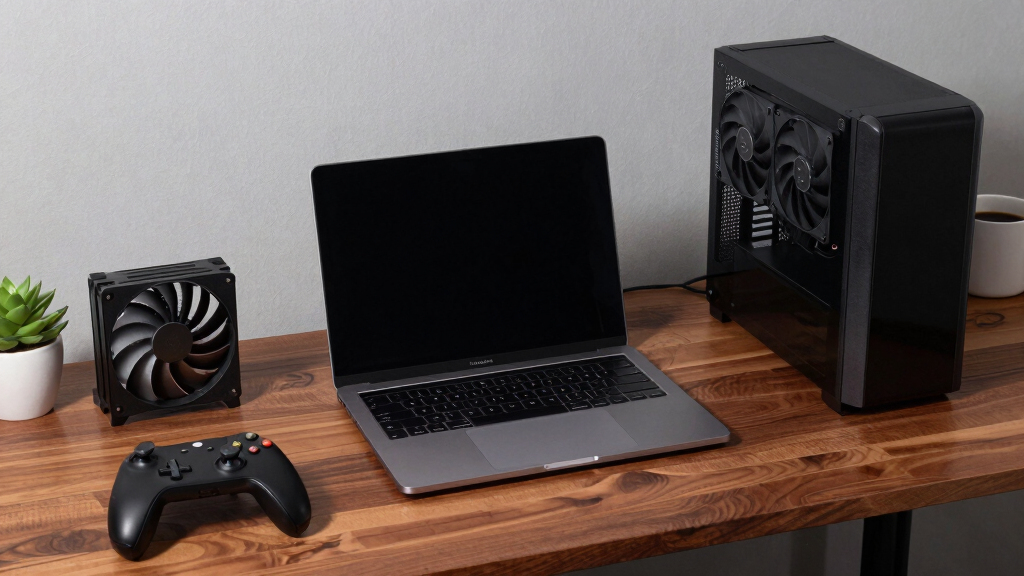
What if you sidestep the heat entirely with a different kind of machine? A tower is a high-bandwidth furnace you spend five levers quieting. Apple Silicon is near-silent by design — but asks for different tradeoffs. Match your priority in Part 2.
Put the loud, hot machine where its noise doesn’t matter, and the quiet one where you do. SSH into the tower when you need raw power; let the Mac handle everything else, silently.
Implications for Local AI Hardware Choices
This comparison influences how AI practitioners and enthusiasts select hardware based on operational priorities. For high-speed, latency-sensitive tasks with models fitting in VRAM, GPU towers remain superior despite their thermal challenges. For users running larger models or seeking silent, energy-efficient operation, Macs present a compelling alternative. Understanding these tradeoffs is essential for designing effective, sustainable local AI setups.

IFCASE Desktop Dust, Air Filter Stand for Mac Studio M4 M3 M2 M1 Max/Ultra, Mac Mini M1 M2 Pro (Clear)
- Universal Compatibility: Fits Mac Mini and Mac Studio models
- Dustproof and Ventilated: Prevents 99.9% of dust and yarn
- Easy Maintenance: Includes spare sponges, replace every six months
As an affiliate, we earn on qualifying purchases.
As an affiliate, we earn on qualifying purchases.
Evolution of Hardware for Local Large Language Models
As LLMs grow in size and complexity, hardware choices become more critical. GPU towers have traditionally dominated due to their raw throughput and ecosystem support, especially for training and fine-tuning. However, recent advances in Apple Silicon’s unified memory architecture enable Macs to handle larger models on-device, shifting the landscape. The ongoing debate centers on whether performance or operational simplicity better suits individual or enterprise needs, with current developments emphasizing energy efficiency and noise reduction.
"GPU towers deliver unmatched throughput for models within VRAM but require complex thermal management to keep noise and heat in check."
— Hardware engineer at a GPU manufacturer

ASUS ROG Astral LC GeForce RTX 5090 32GB GDDR7 OC Edition, NVIDIA, Graphics Card, for Desktop PC, HDMI 2.1b/DisplayPort 2.1b – 360mm AIO Cooler for Optimal Performance
- Architecture: NVIDIA Blackwell with DLSS 4
- Clock Speed: OC Mode: 2610 MHz, Default: 2580 MHz
- Cooling System: 360mm radiator for optimal cooling
As an affiliate, we earn on qualifying purchases.
As an affiliate, we earn on qualifying purchases.
Unresolved Questions About Long-Term Use
It remains unclear how well Macs will scale for future, larger models or intensive training tasks that demand more than 512GB of unified memory. Additionally, the long-term reliability and upgradeability of Macs for AI workloads are still being evaluated, as Apple’s ecosystem is less flexible than traditional GPU setups. Further testing and real-world usage data are needed to fully assess these factors.

Acer Veriton AI Mini Workstation Personal Computer GN100-UD11 Series
- Powerful AI Performance: 1 PFLOPS FP4 AI with NVIDIA Superchip
- Optimized for NVIDIA AI Stack: Pre-installed with NVIDIA DGX OS and full AI tools
- High-Speed Memory Access: Shared 128GB LPDDR5X-8533 memory over NVLink-C2C
As an affiliate, we earn on qualifying purchases.
As an affiliate, we earn on qualifying purchases.
Future Developments in AI Hardware Compatibility
Expect ongoing updates to Apple Silicon’s memory and processing capabilities, potentially expanding model size limits and inference speed. Meanwhile, GPU manufacturers continue to improve thermal management and power efficiency. The debate between heat/noise versus speed will likely persist, with new hardware emerging to address these tradeoffs. Users should monitor these developments to make informed hardware choices for their AI workloads.

NVIDIA DGX Spark™ - Personal AI Desktop Supercomputer – Desktop GB10 Grace Blackwell Chip
- Compact Supercomputer Design: Energy-efficient desktop AI supercomputer
- High AI Performance: Up to 1 petaFLOP AI processing power
- NVIDIA Grace Blackwell Architecture: Enables fast model fine-tuning and inference
As an affiliate, we earn on qualifying purchases.
As an affiliate, we earn on qualifying purchases.
Key Questions
Can a Mac run large language models as effectively as a GPU tower?
Macs can run larger models that do not fit in GPU VRAM thanks to their unified memory, but they generally have slower inference speeds compared to GPU towers optimized for bandwidth. The suitability depends on model size and speed requirements.
Is heat and noise a significant concern for GPU towers used in AI?
Yes, GPU towers produce substantial heat and noise, often requiring complex thermal management. While they can be made quieter with effort, their thermal footprint remains high compared to Macs.
Will Macs be able to replace GPU towers for training large models?
Currently, Macs are not suited for training large models or fine-tuning tasks that require extensive CUDA ecosystem support and multi-GPU scaling. They are primarily effective for inference of large models within their memory limits.
What are the main tradeoffs between choosing a Mac or GPU tower for AI work?
The main tradeoffs involve performance versus operational simplicity: GPU towers offer higher throughput and upgradeability but produce more heat and noise, while Macs provide silent, low-power operation with capacity for larger models but at slower inference speeds.
Source: ThorstenMeyerAI.com