
TL;DR
Building your own AI workstation used to be cheaper, but component shortages and price spikes now often favor prebuilt options. The choice depends on your need for control, speed, support, and upgradeability, not just cost. In 2026, evaluate all tradeoffs carefully before deciding.
Imagine plugging in your AI workstation and hitting the ground running. No fuss, no hassle. That’s what a prebuilt offers—ready to deploy. But if you love tinkering and want full control, building your own might seem appealing. The twist? In 2026, the cost dynamics have flipped. Building isn’t automatically cheaper anymore.
This article will unpack the real tradeoffs: speed, cost, performance tuning, and future-proofing. Whether you’re deep into AI research or just experimenting, understanding these factors helps you make the smartest choice for your workload and budget. You might also consider building versus buying a prebuilt AI workstation.
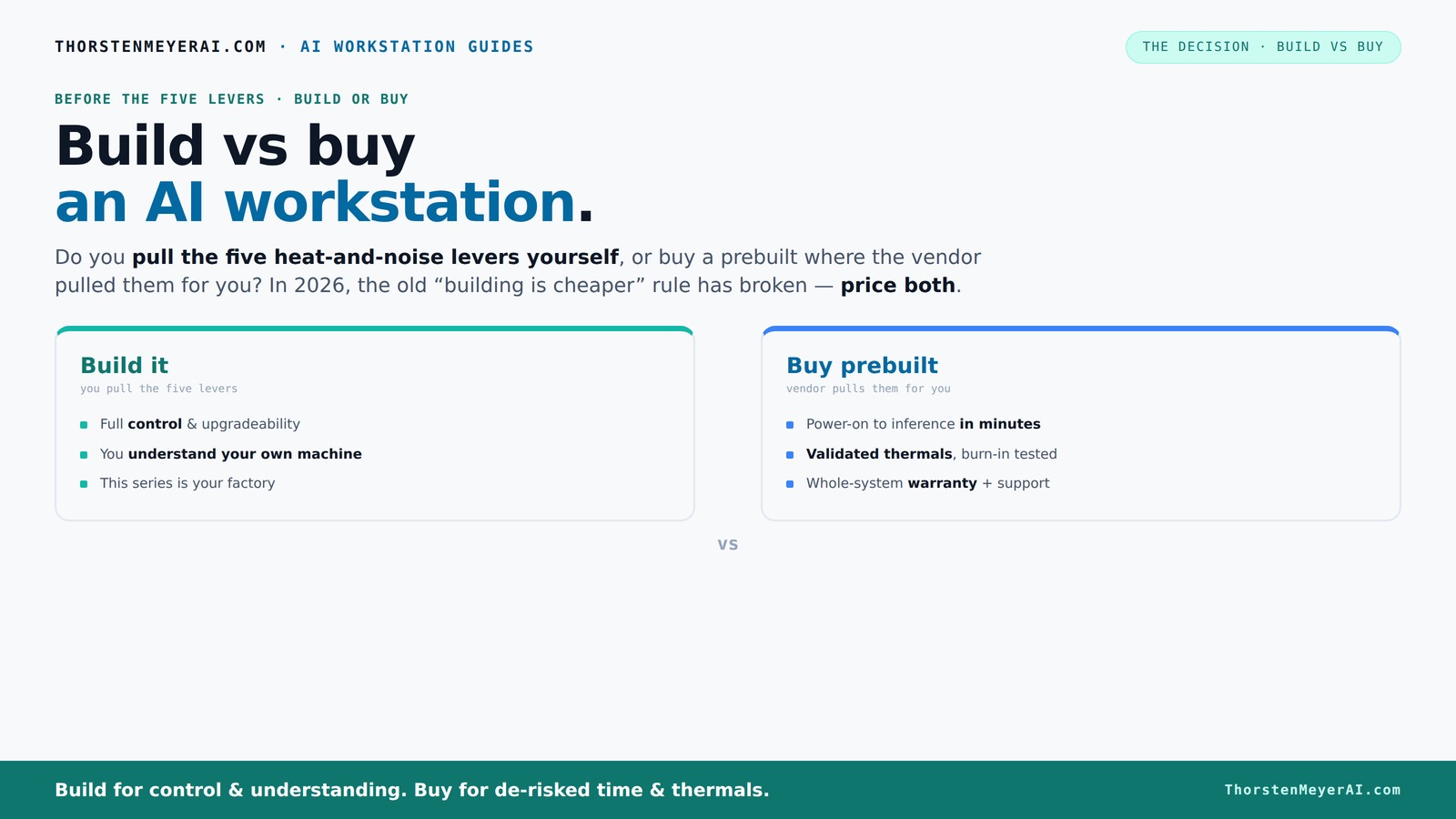
Build vs buy
an AI workstation.
The real question behind this whole series: do you pull the five heat-and-noise levers yourself, or buy a prebuilt where the vendor pulled them for you? And in 2026, the old “building is cheaper” rule has broken. Match your situation in Part 3.
Key Takeaways
- Component shortages in 2026 push prebuilt systems to price parity or even lower than DIY builds, especially for high-end AI workstations.
- Prebuilts save time, reduce troubleshooting, and come with validated thermals and support—great for busy professionals or those who want plug-and-play.
- DIY offers complete control over hardware, cooling, noise, and upgrade paths, ideal for enthusiasts and long-term flexibility.
- Always price both options for your specific configuration—don’t assume DIY is cheaper just because it used to be.
- Check your workload: long training runs benefit from factory-tuned thermals, but quick testing might favor DIY customization.

WIWB Gaming PC Desktop Core I9-14900HX, GeForce RTX 5060 Ti 8G, 16G DDR5 RAM, 1TB NVME SSD, WiFi 6, 4K 8K High-End Prebuilt PC Computer Tower for Streaming, Video Editing & Workstation Use (Black)
UNSTOPPABLE PROCESSING POWER: Powered by the Intel Core i9-14900HX processor (24 Cores, 32 Threads) with a max turbo...
As an affiliate, we earn on qualifying purchases.
As an affiliate, we earn on qualifying purchases.
Why 2026 Changes Everything About Cost and Speed
Building your own AI workstation was once a no-brainer for saving money. But now, component shortages and inflation have driven prices sky-high. DDR5 RAM, high-end GPUs, and SSDs cost more than ever, making DIY builds sometimes pricier than prebuilt systems. If you're considering your options, check out build vs buy a prebuilt AI workstation.
For example, a custom build that used to cost around $1,000 in parts now often hits $1,250 or more, even before software licenses. Meanwhile, prebuilt vendors like Lambda or BIZON have bought these parts in bulk, allowing them to offer systems at similar or even lower prices.
This flips the old rule: building is not always cheaper anymore. It’s worth pricing both options today—your workload, speed, and support needs will determine which wins. For more insights, visit PPM Equity.
Beyond just cost, this shift impacts your decision-making process. When parts are expensive and scarce, the risk of delays and compatibility issues increases, which can negate the benefits of DIY customization. Conversely, prebuilt systems, with their bulk procurement and tested configurations, often provide a more predictable and reliable path to deployment. This evolution compels buyers to think beyond price and consider factors like support, time-to-deploy, and the potential hidden costs of troubleshooting and upgrades.

NOVATECH AI Workstation Desktop PC – Intel Core i9-14900K, Liquid Cooling – Machine Learning, Data Science, 3D Rendering, Video Editing, Simulation (RTX PRO 6000 | 192GB RAM | 10TB)
Extreme AI & Machine Learning Performance Powered by the Intel Core i9-14900K and RTX PRO 6000 with 96GB...
As an affiliate, we earn on qualifying purchases.
As an affiliate, we earn on qualifying purchases.
Who Really Pulls the Levers? Build vs Buy in Practice
Think of your AI workstation as a furnace that needs careful tuning for heat and noise. The five levers? Undervolt the GPU, match the cooler, optimize airflow, tune fans, and position it well. The build vs buy question is: who pulls these levers?
When you buy a prebuilt, the vendor handles all that. They validate thermals, test under load, and tune fans—often including water-cooling for quieter operation. You get a system ready to run at peak performance, with warranty support. For more on ready-to-go AI systems, see Daily Coin Feed.
Building your own? You pull every lever yourself. You choose the GPU, cooler, case, and fans. You tune everything—knowing exactly how your machine runs and how to fix it if something changes. It’s your factory.
This difference is crucial because thermal and noise management directly influence performance stability and user experience. Prebuilts, with their validated setups, minimize the risk of overheating or excessive noise, which can lead to throttling or hardware failure. DIY systems offer the flexibility to push components to their limits or silence them entirely, but this requires expertise and ongoing maintenance. The tradeoff is between convenience and the potential for personalized optimization—knowing that your choices will either save you time or demand a higher level of technical skill.

NVD RTX PRO 6000 Blackwell Professional Workstation Edition Graphics Card for AI, Design, Simulation, Engineering - 96GB DDR7 ECC Memory - 4th Gen RT/5th Gen Tensor Core GPU - OEM Packaging
[NVIDIA Blackwell Streaming Multiprocessor] The new SM features increased processing throughput, and new neural shaders that integrate neural...
As an affiliate, we earn on qualifying purchases.
As an affiliate, we earn on qualifying purchases.
When to Buy a Prebuilt: The Fast Lane to AI Readiness
If you want a machine that’s ready to go the moment you open the box, a prebuilt is your best bet. It’s perfect for busy professionals who value time over a few hundred dollars. You get the OS, AI stack, and drivers preinstalled—just power on and start testing models.
Plus, prebuilt systems undergo rigorous testing, ensuring they won’t throttle during long training sessions. Many vendors offer multi-year warranties and support, reducing downtime and troubleshooting headaches.
For example, a Lambda workstation with dual GPUs is tested for 24–48 hours before shipping, confirming it won’t overheat or slow down. That’s a level of validation that’s hard to match on your own.
This validation process is vital because it reduces the guesswork involved in deploying high-performance AI workloads. It ensures the system can sustain demanding tasks without thermal throttling or hardware failures, which can be costly and time-consuming to troubleshoot post-deployment. For professionals who need immediate productivity and reliability, prebuilt systems serve as a dependable foundation—saving time and reducing uncertainty in complex AI projects.

NVIDIA DGX Spark™ - Personal AI Desktop Supercomputer – Desktop GB10 Grace Blackwell Chip
Supercomputer performance directly to your desk in a compact, energy-efficient design, enabling enterprise-scale AI and high-performance computing right...
As an affiliate, we earn on qualifying purchases.
As an affiliate, we earn on qualifying purchases.
When Building Yourself Makes Sense: The Control and Flexibility Play
If you love customizing every part and want the absolute control over cooling, noise, and upgrade paths, building your own is the way to go. You pick a quiet GPU, like the RTX 4090 with a custom water block, and match your cooler and case for silent operation. If you want to explore custom setups, check out building versus buying a prebuilt AI workstation.
For example, a hobbyist might choose a low-noise case, undervolt their GPU, and add sound dampening material—something prebuilt may not offer. Building also makes sense if you plan to upgrade components over time, like swapping in more RAM or a bigger SSD. This flexibility can extend the lifespan of your system and adapt to evolving workloads, which is especially valuable as AI models and datasets grow larger and more complex.
However, it takes patience, technical skill, and time. You’ll need to troubleshoot compatibility, BIOS settings, and thermal tuning as you go. The ability to fine-tune your system can lead to improved performance and quieter operation, but only if you're prepared to invest the effort and learn the intricacies of hardware management. For more on building your own AI workstation, see build vs buy a prebuilt AI workstation.
Compare Key Factors: Build vs Buy at a Glance
| Factor | Prebuilt | Build |
|---|---|---|
| Cost | Often comparable or slightly higher due to convenience and testing | Lower parts cost, but potential hidden costs in troubleshooting and time |
| Deployment Speed | Hours to days—plug and play | Weeks, depending on parts and assembly |
| Support & Warranty | Single vendor, extensive support, warranty included | Self-managed, warranty depends on individual parts |
| Customization | Limited to vendor options | Complete control over every component |
| Upgradeability | Can be proprietary, limited options | Highly flexible, easy to upgrade |
| Thermal & Noise Tuning | Validated at factory, often quieter | You tune it yourself, requires expertise |
Which Option Gives the Best Value for Your AI Workload?
The best choice depends on your workload and priorities. For rapid deployment, minimal hassle, and support, a prebuilt often wins—especially if you’re running multi-GPU setups or need validated thermals. If you prefer full control, customization, or upgrade paths, building your own offers more long-term flexibility.
For example, an AI researcher running long training sessions might prefer a prebuilt with factory-tuned cooling. A hobbyist experimenting with custom cooling and overclocking might lean toward building.
Remember: the real decision isn’t just about price, but matching your workload, technical skill, and future plans.
Furthermore, consider the implications of upgradeability and maintenance over time. Prebuilts, with their often proprietary components, can limit future upgrades and make repairs more complicated, potentially increasing long-term costs. DIY systems, while requiring initial effort, often provide a more sustainable pathway for incremental improvements as your AI needs evolve, especially when hardware compatibility is flexible. Balancing these factors ensures you choose a solution aligned with both immediate needs and future growth.
What to Check Before Buying or Building Your AI Workstation
- GPU power and VRAM: Aim for at least 24GB VRAM for large models.
- Cooling solutions: Are the thermals validated for sustained loads?
- Support and warranty: Does the vendor offer quick support and solid coverage?
- Upgrade paths: Are the motherboard and case compatible with future components?
- Power supply quality: Can it handle peak loads without noise or risk?
For detailed guidance, check out my heat and noise reduction tips to optimize your setup regardless of build or buy.
Remember, thorough planning in these areas can prevent costly mistakes and ensure your system remains performant and reliable as your AI projects grow. Considering future expansion and maintenance during the initial selection process can save significant time and money down the line, especially given the evolving hardware landscape of 2026.
Frequently Asked Questions
Is a prebuilt AI workstation cheaper than building one?
Not always. While prebuilts can sometimes match or beat DIY prices due to bulk buying, the total cost depends on your specific configuration. In 2026, component shortages have leveled the playing field, making price comparison essential.
Will a prebuilt perform as well as a custom build?
Often yes, especially if the vendor validates thermals and tunes the system for high workloads. But a DIY build can be optimized for specific needs, like quieter cooling or overclocked GPUs, if you have the expertise.
Do AI workstations need an NPU, or is a GPU enough?
It depends on your workload. GPUs remain the workhorse for most AI tasks, but NPUs are gaining traction for specific tasks like inference acceleration. Consider your workload and future plans when choosing hardware.
How much VRAM do I need for AI models?
For most large language models and image generation, 24GB or more VRAM is recommended. Smaller models can run comfortably with 12–16GB, but always check your specific model requirements.
Are prebuilts harder to upgrade?
Often yes. OEM prebuilts may use proprietary parts, making upgrades more complicated. Custom builds typically offer more transparent, flexible upgrade paths.
Conclusion
Deciding whether to build or buy your AI workstation boils down to your specific needs. If time, support, and reliability matter most, a prebuilt delivers peace of mind. But if control, customization, and future-proofing top your list, building your own remains a powerful choice.
Whatever you choose, remember this: in 2026, the smartest move is to weigh the real costs—time, support, and flexibility—alongside price.